> ## Documentation Index
> Fetch the complete documentation index at: https://learn.cleftnotes.com/llms.txt
> Use this file to discover all available pages before exploring further.
# Changelog
> What's new in every Cleft release
export const CarPlayCapture = ({src, alt, caption, size = 'sm'}) => {
const dims = size === 'lg' ? {
pad: '18px',
outerRadius: '28px',
innerRadius: '16px',
shadow: '0 40px 80px -30px rgba(0,0,0,0.45), 0 20px 40px -20px rgba(229,75,43,0.12), inset 0 1px 0 rgba(255,255,255,0.06), inset 0 -1px 0 rgba(0,0,0,0.8)'
} : {
pad: '14px',
outerRadius: '24px',
innerRadius: '14px',
shadow: '0 30px 60px -30px rgba(0,0,0,0.45), 0 10px 20px -10px rgba(229,75,43,0.12), inset 0 1px 0 rgba(255,255,255,0.06), inset 0 -1px 0 rgba(0,0,0,0.8)'
};
return <>
{caption}
;
};
*For what is planned next, see the [roadmap](https://cleftnotes.com/roadmap).*
## Capture You Can Count On
**Platforms:** iOS, iPadOS, macOS, and watchOS (build 184)
1.14.3 is in TestFlight, with the App Store release pending.
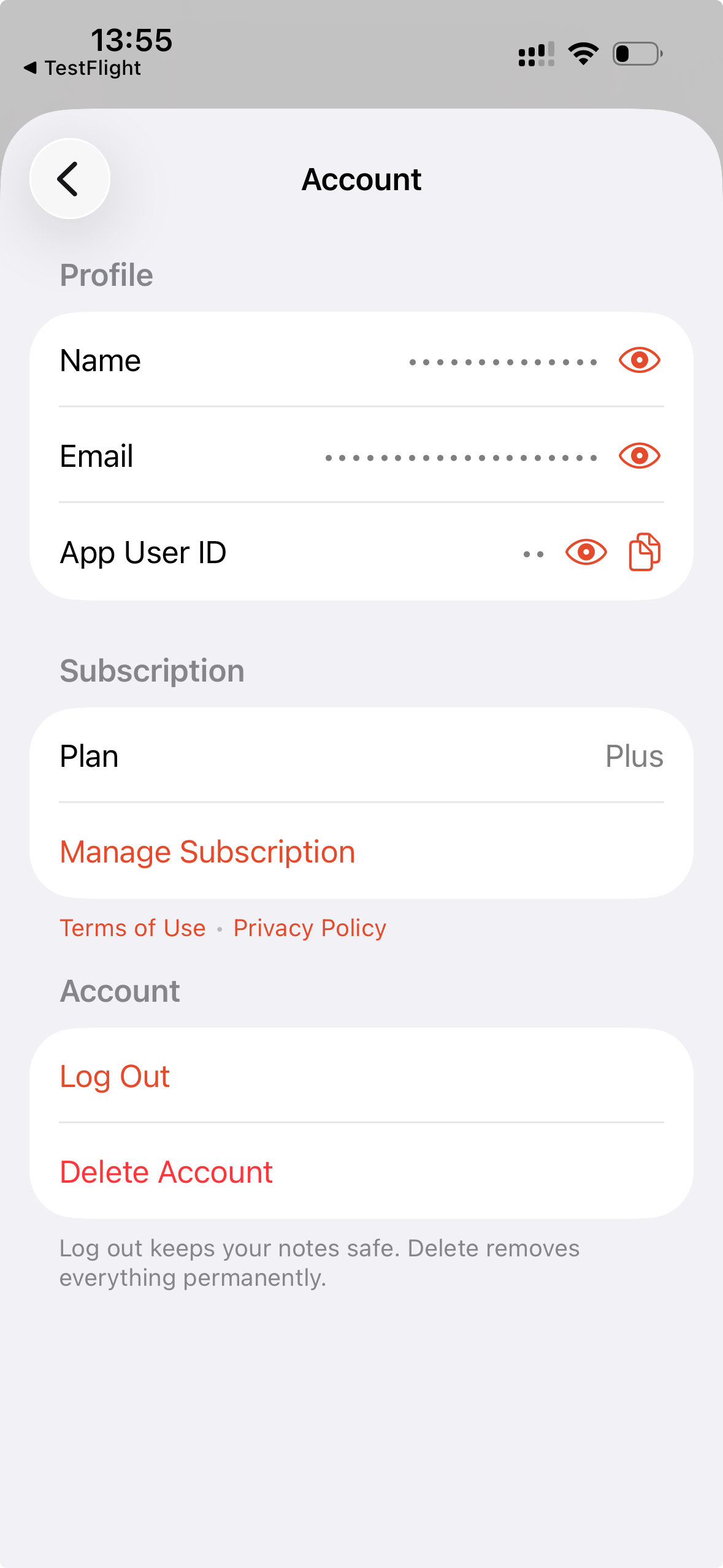
This TestFlight build makes capture more dependable: widgets open the right note, Apple Watch recordings keep moving, unfinished notes are clearer to retry, and Account settings keep personal details hidden until you choose to show them.
### Changed
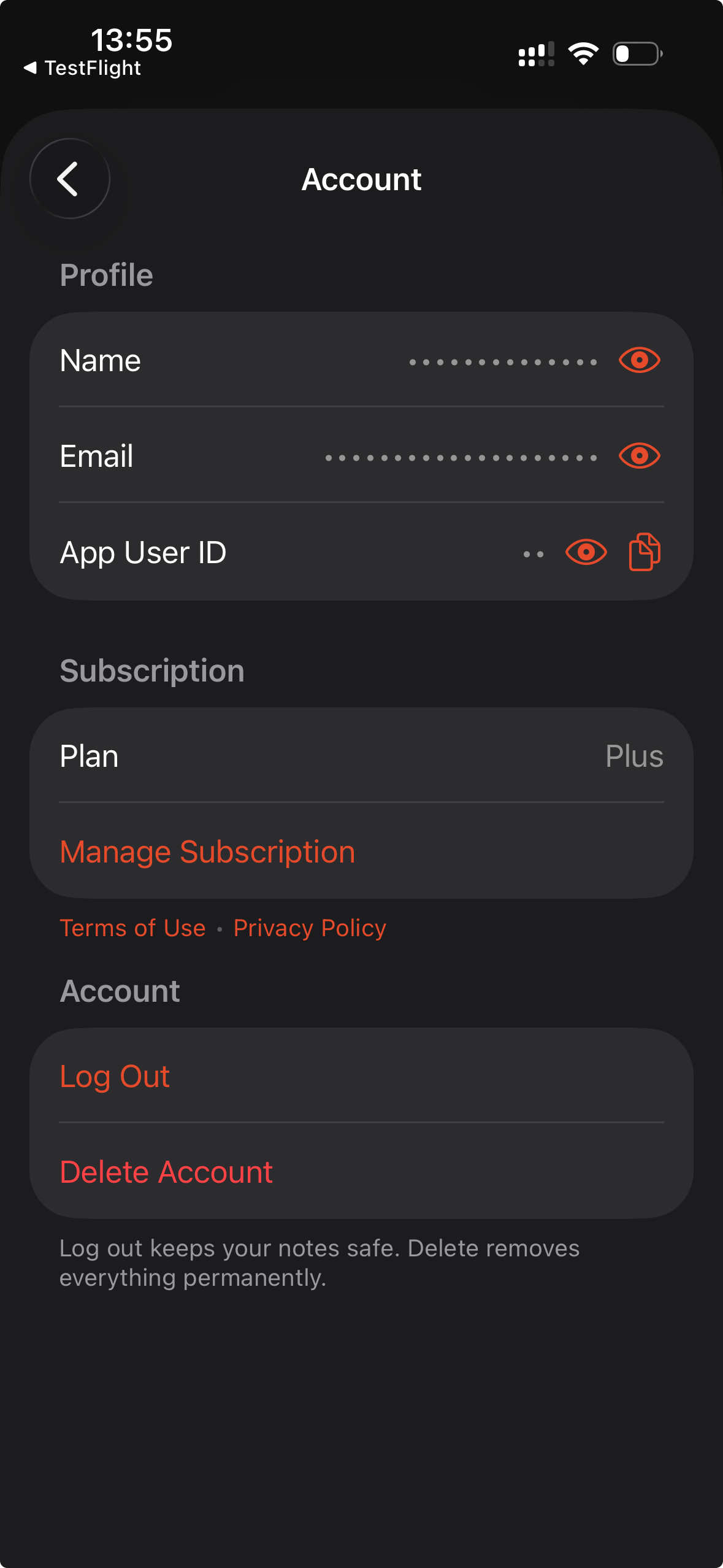
* **[Account details stay private on screen.](/user-guides/settings#account-privacy)** Your name, email, and App User ID stay hidden until you reveal them. When you need help, copy your App User ID so we can find your account without showing your email.
* **Settings stay in the right place.** Your preferences keep following you through iCloud, while device-specific choices stay on the device they belong to.
### Fixed
* **Recent-note widgets show the right note.** Your widget keeps showing your latest note instead of going back to an older one.
* **Unfinished notes are clearer to retry.** If Cleft saves your recording but cannot finish writing the note, it keeps the recording ready to retry instead of showing or exporting a note that looks done.
* **Widget starts respect your choice.** If you back out of a Lock Screen or widget recording launch, Cleft does not start that recording later by surprise.
* **Apple Watch shows the right note details.** Recent notes on your Watch show the correct summary, date, archived status, tags, and account.
* **Apple Watch recordings finish more reliably.** A recording that already reached your iPhone can finish after you reopen Cleft or reconnect.
* **Apple Watch keeps your selected style.** Watch recordings use the style you chose on your Watch when they first sync. Later rewrites on iPhone, iPad, and Mac use your current style setting.
***
### Contributors
Thanks to Alien8 for testing v1.14.3 in TestFlight and sending feedback.
## Clearer Writing, Calmer Controls
**Platforms:** iOS, iPadOS, and watchOS (build 168) · macOS (build 181)
1.14.2 is live on the App Store.
This patch makes writing a note, switching views, and playing back audio feel clearer, and keeps your note controls calm and predictable on every device.
### Fixed
* **[Your recording stays with your note.](/user-guides/managing-voice-notes#audio-playback)** Voice notes keep their audio after they sync, so playback and audio export stay available instead of leaving you with the transcript alone.
* **Background recordings finish processing.** A recording that starts in the background now picks back up and completes instead of getting stranded when you return to Cleft.
* **[Typed notes are ready when you are.](/user-guides/recording-voice-notes)** Long-press New Note to start writing right away. Save stays legible on iPhone, and your text stays editable until you save or discard it.
* **[Notes and Transcript follow your tap.](/user-guides/transcripts)** Switching between Notes and Transcript stays reliable on iPhone and iPad, so the view you pick is the view you see.
* **[Playback tells you when audio is loading.](/user-guides/managing-voice-notes)** Play now shows when your recording is getting ready on Mac, so you are not left guessing.
* **[Send and More stay reliable on Mac.](/user-guides/send)** Toolbar menus open at full size on the first click with native menu labels, plus cleaner dismissal and tooltips, so copy, share, delete, and your other note actions are always reachable.
* **Cleft keeps its own warm accent.** Settings and What's New stay on Cleft's color instead of falling back to system blue.
***
### Contributors
Thanks to Vincent and Paddington for helping us track these down and get them fixed.
## Notes and Automations Stay Reliable
**Platforms:** iOS, iPadOS, and watchOS (build 160) · macOS (build 174)
This patch keeps the 1.14 note style, toolbar, backup, and automation work dependable while the larger Make Cleft Yours release rolls out.
### Added
* **[Your Zapier automations get richer note data.](/user-guides/integrations/zapier/templates)** Note Created, Note Updated, Note Published, Note Unpublished, and Comment Added triggers now receive more complete fields with more reliable delivery, and you do not need to reconnect Cleft.
* **Your backups identify where they came from.** Portable backup folders now show the Cleft version that created them, so exported folders are easier to trace later.
### Fixed
* **[Custom note styles work on iPhone and iPad.](/user-guides/custom-instructions#custom-styles)** Create a style from Writing Style settings, then long-press Edit to reopen it pre-filled and ready to change.
* **[Toolbar actions stay reachable on iPad and Mac.](/user-guides/send)** Send and More open reliably again, so copy, share, delete, and the rest of your note actions remain available from the toolbar.
* **[Mac shortcuts keep working after toolbar menus.](/user-guides/keyboard-shortcuts)** Opening Send or More no longer gets in the way of keyboard shortcuts.
***
### Contributors
Thanks to Andrew M and Vince C for your feedback.
## Make Cleft yours
**Platforms:** iOS (build 159) · macOS (build 173) · watchOS (build 159) · CarPlay (included with iOS)
Cleft is a camera for your mind. Catch a thought as fast as you can say it, before it slips away. This release is about what happens next: shape every note the way you think, set a rule Cleft always follows, and keep your notes with the rest of your context, on every device you own.
### Added
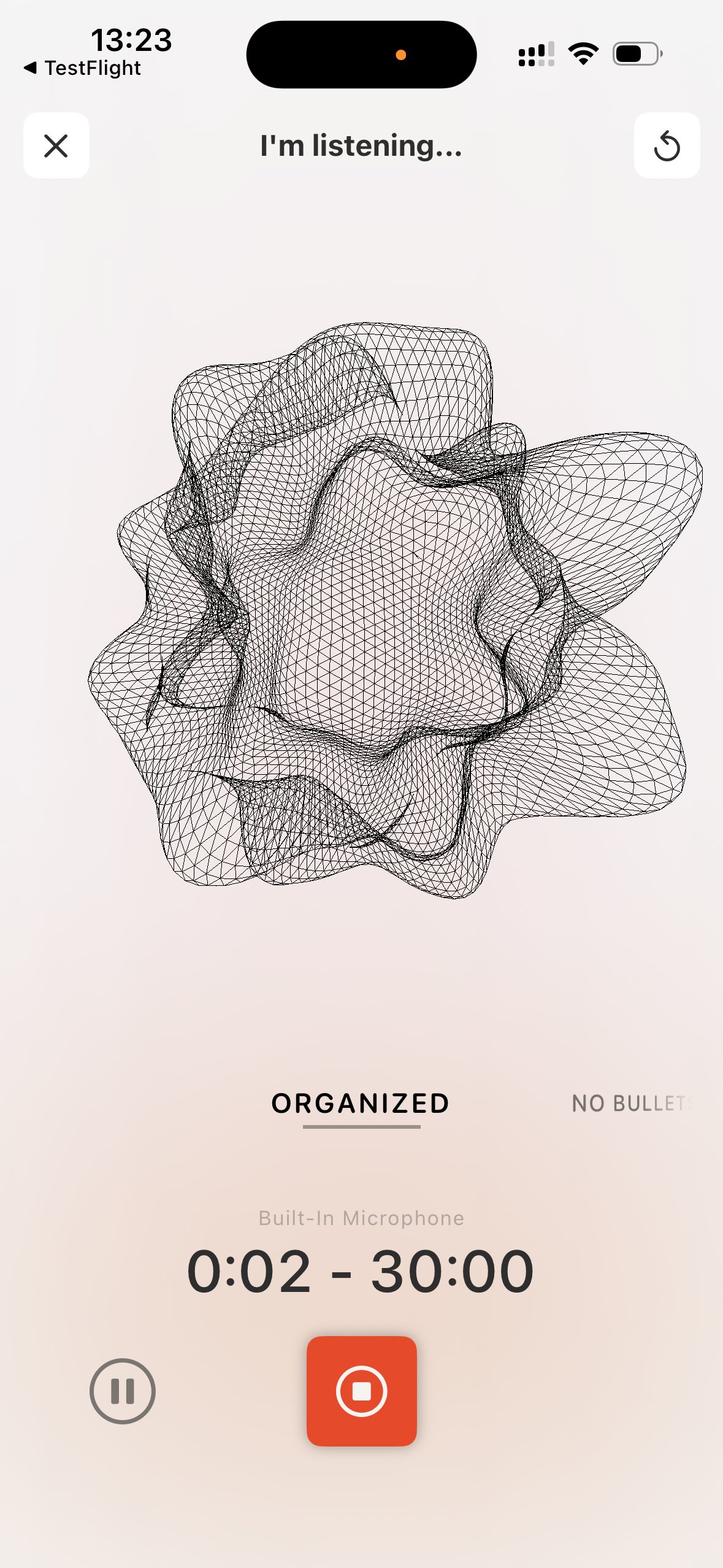
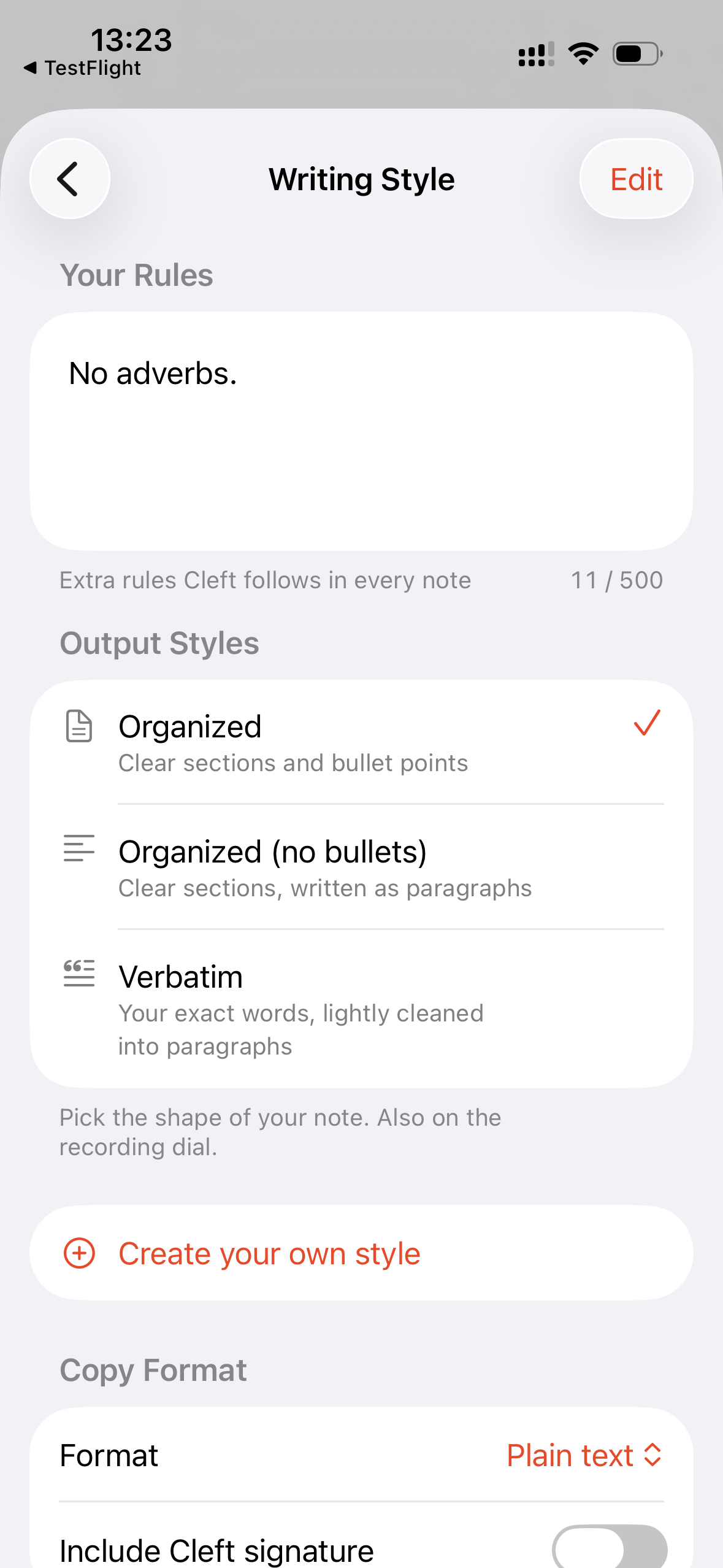
* **Pick how Cleft writes each note, right from the recording screen.** A style selector sits just above the record button. Tap, swipe, scroll, or use the arrow keys on Mac to move between Structured, Structured Prose, Clean Transcript, and any style you have made, then record. Your choice shapes that note and any note you regenerate later, and it lives in Settings too, under Note Style.
* **Make your own note styles.** With Plus, create named styles with their own instructions, then drag the whole list, built-in and custom together, into the order you like. That order follows you across your devices.
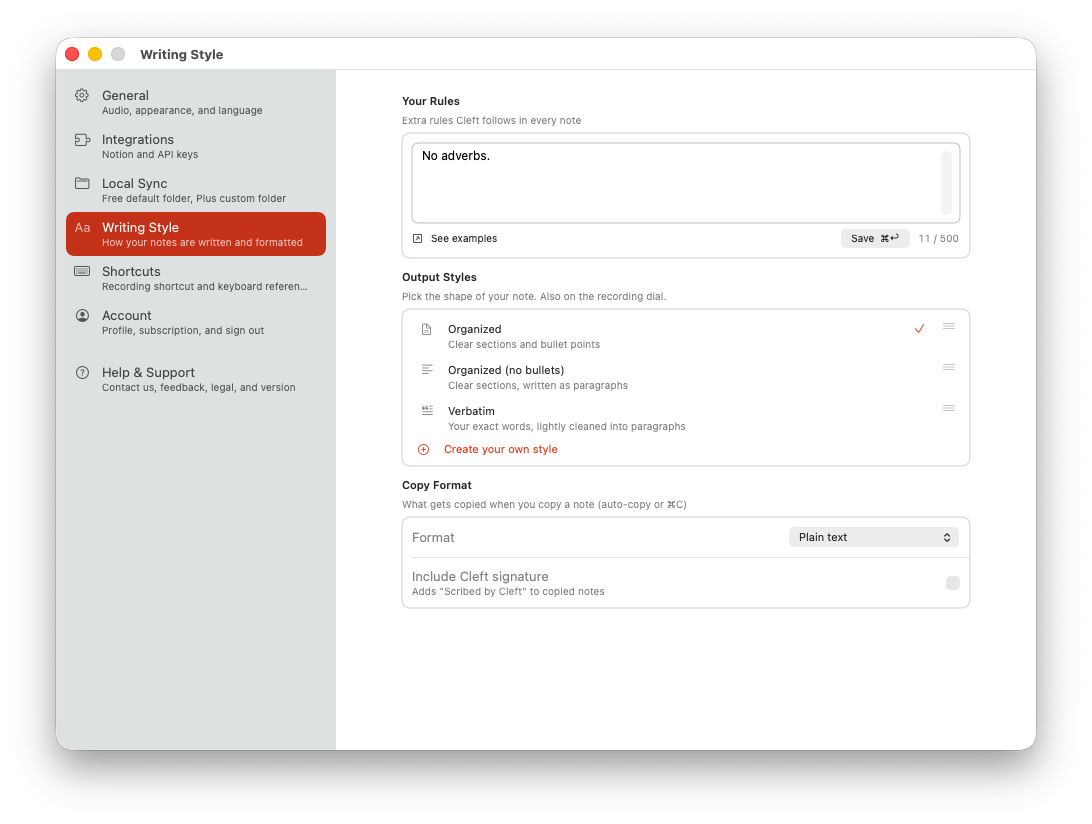
* **Set a writing rule Cleft follows every time.** Your Rules lets Plus members add a standing instruction like "no adverbs" or "keep it brief". You get up to 500 characters. Saved rules stay visible but paused if Plus is no longer active, and you can clear them whenever you choose.
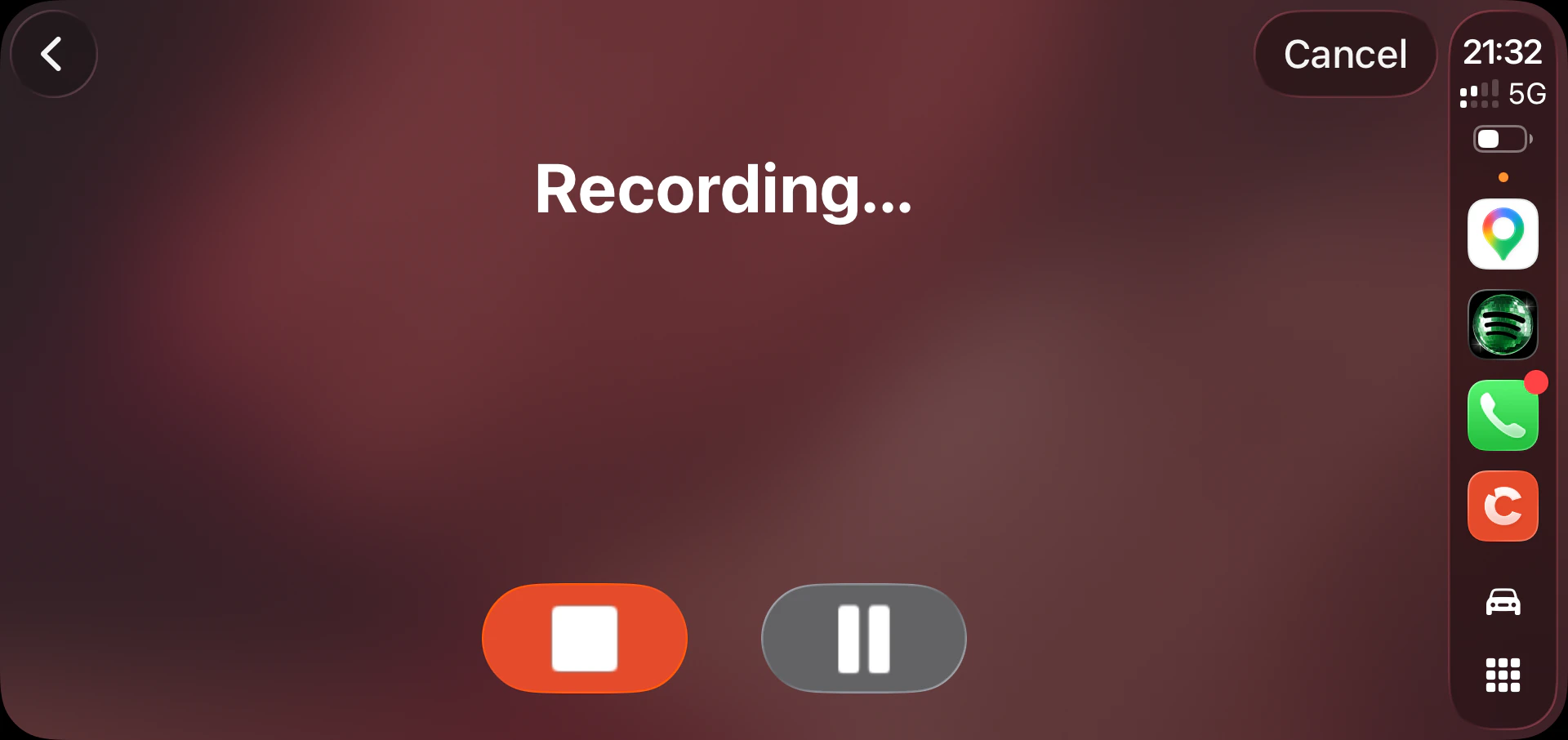
* **Choose your note style on Apple Watch and in CarPlay.** Dial through your styles with the Digital Crown as you record on your wrist, or tap one on the CarPlay home screen before you set off. Plus members see their own styles in both places.
* **Cancel a CarPlay recording you didn't mean to start.** Stop and Pause now have a Cancel control beside them, so a recording you started by mistake is no longer one you have to finish.
* **Pick your settings once, see them everywhere.** Theme, note style, copy format, note language, your writing rules, Notion auto-send, and your save-to-device choices stay in sync across every iPhone, iPad, and Mac signed into the same iCloud account.
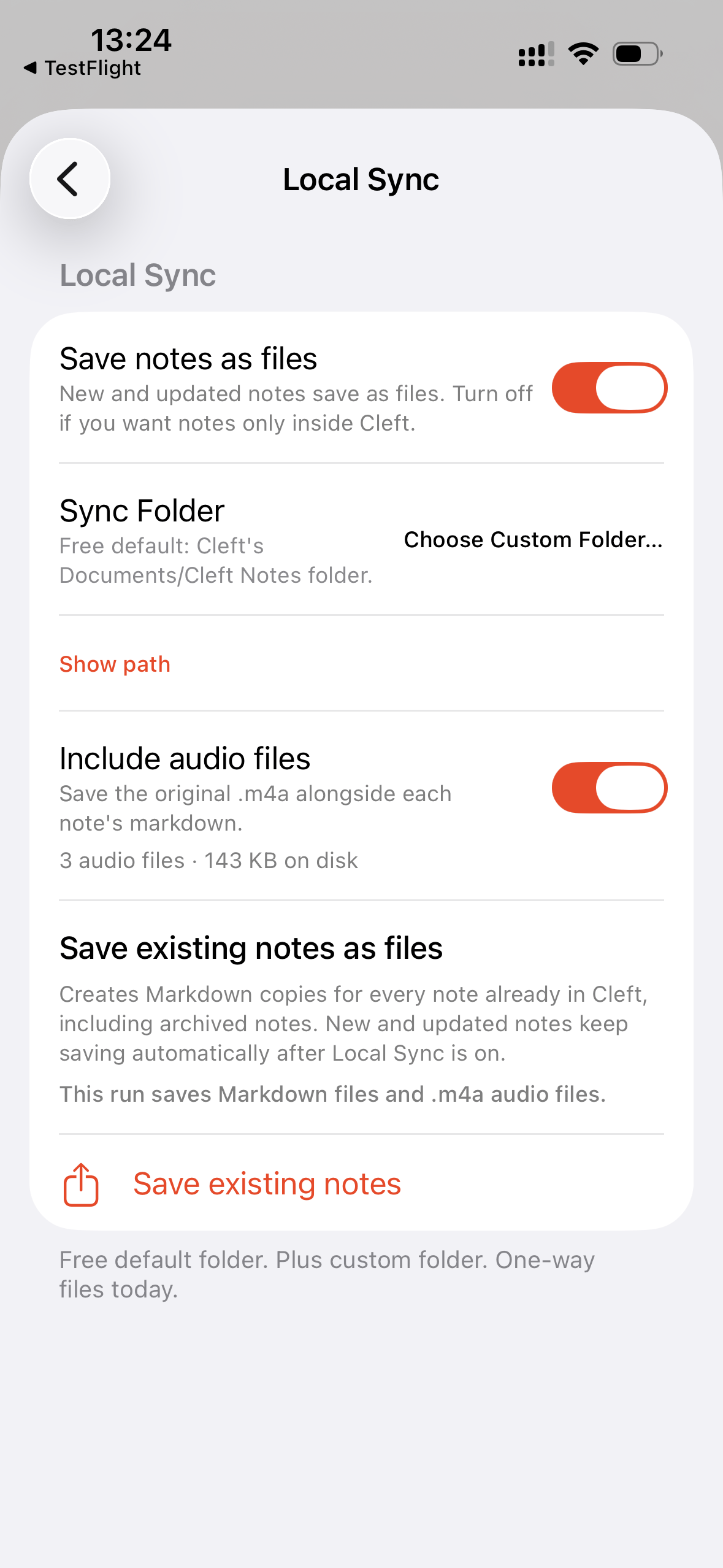
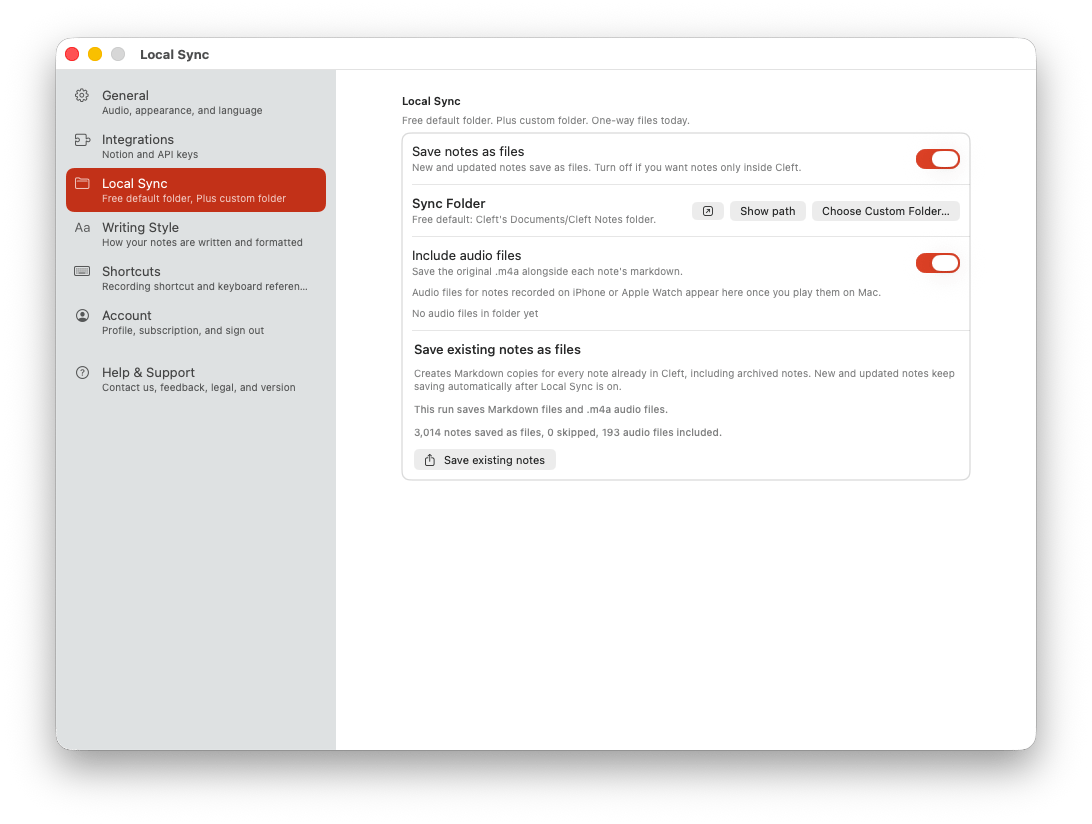
* **Every note saves to your device automatically.** Saving notes as files on your device is free on Mac, iPhone, and iPad. With Plus, pick the folder yourself: your [Obsidian](/user-guides/integrations/obsidian/overview) vault, a NotePlan project, a Logseq graph, a Drafts folder, or anywhere you like.
* **Keep the voice memo next to the note.** Turn on the audio toggle in Settings and the original recording saves right beside the written note. Tap to replay anytime.
* **Find your Cleft notes alongside everything else you've written.** Title, tags, and dates travel with every note, so Obsidian, NotePlan, and Drafts can sort and search them the same way they handle your other notes. A small "made by Cleft" tag inside each file shows where it came from.
* **See where Cleft is saving on your Mac.** Settings can reveal your active save folder in Finder or show the exact path. Works whether you're on Free or Plus, and whether you stuck with the default folder or picked your own.
* **See how much space your voice memos are using.** Turn on the audio toggle and Settings shows the number of files and total size at a glance.
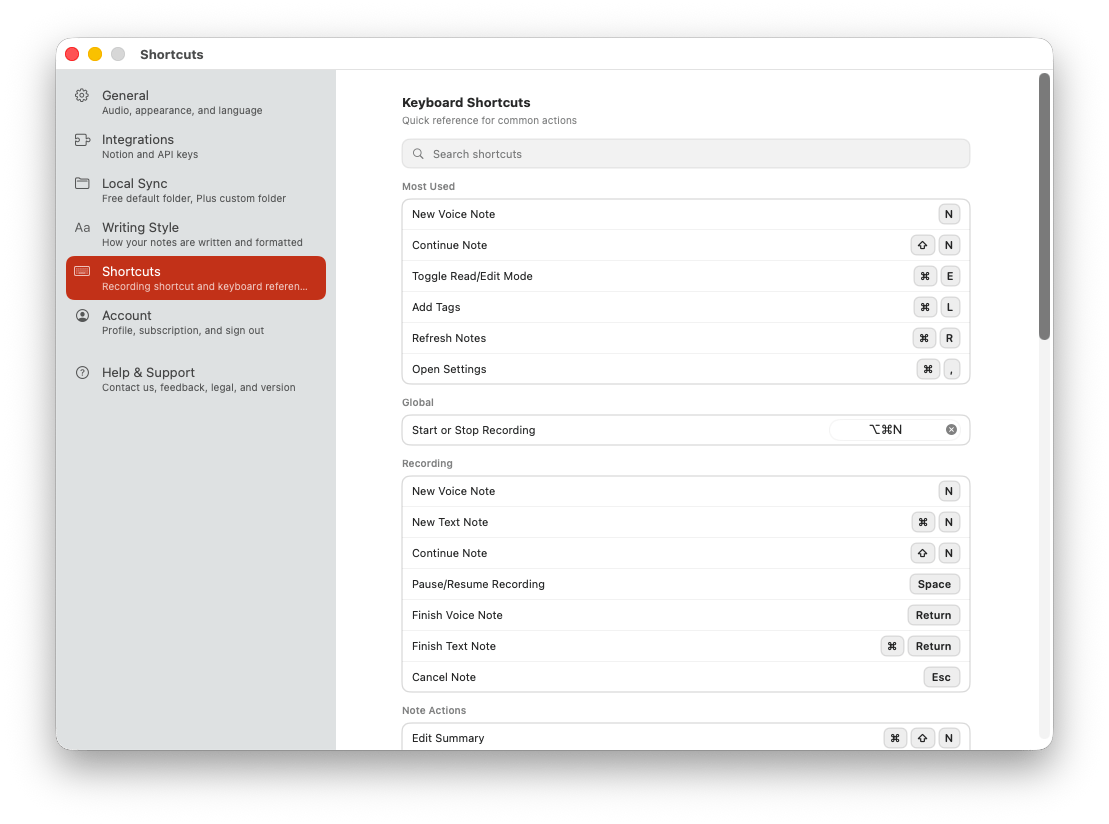
* **Start recording from anywhere on your Mac with one keystroke.** Press ⌥⌘N and Cleft starts recording, even when the app is hidden or in the background. Rebind it or turn it off in Settings → Shortcuts.
* **Jump straight to a note on Mac.** Press Command-1 through Command-9 to open the matching note in the current list, filter, or search result. Cleft scrolls it into view when needed.
* **Know the moment a new version is ready.** When a newer Cleft is available, a gentle reminder appears on your Home screen and takes you straight to the update. It never blocks recording, and you can wave it away for now.
### Changed
* **The recording style selector feels more tactile.** Drag through note styles like a camera dial, with each style tilting into place and a small haptic tick as you pass it.
* **The note styles have clear, plain names.** Three built-in styles, Structured, Structured Prose, and Clean Transcript, each with a one-line description so you know what you're picking before you pick it.
* **Writing settings are easier to tell apart.** Your Rules holds the instructions Cleft follows every time; Note Style picks the shape of the note. The two no longer blur together.
* **Upgrade prompts for custom styles are clearer.** Creating your own style now opens a dedicated Plus screen, and Mac no longer shows a second upgrade card in the same settings panel.
* **Cleaner previews in your notes list.** Each card shows a short, plain-text gist of the summary at a steady height, so the list scans at a glance. The full summary is still on the note itself.
* **Spot your notes at a glance in your folder.** Files are now named with the date and a few words from the note, like `2026-05-06-meeting-with-jonny`, instead of a long ID number. Older notes get their new name the next time you edit them.
* **Already saving to a folder? You get a heads-up first.** The next time you open Cleft on Mac, iPhone, or iPad, a one-time screen walks you through what's about to change and offers to open your folder so you can back it up.
* **Set up Local Sync right from your iPhone or iPad.** Settings on iPhone and iPad now has the same Local Sync controls as Mac. Turn save-to-device on or off, pick your folder, flip the audio companion, and check your storage, all without reaching for your Mac.
* **Find your way around Mac Settings at a glance.** The sidebar now shows an icon, name, and one-line description for every section. Press ⌘1 through ⌘6 to jump straight to one. About opens from the Cleft Notes menu where Mac users expect it, and a new Help & Support section gathers bug reports, feature requests, What's New, the roadmap, changelog, Terms, Privacy, Accessibility, and your version info in one place.
* **See every keyboard shortcut Cleft responds to in one searchable list.** A new Shortcuts section in Mac Settings (⌘4) lists every shortcut, with the global recording shortcut right at the top.
* **Local Sync has its own place in Settings.** Save-to-device controls are grouped together instead of sharing space with automation integrations.
* **Cleaner Sync Folder buttons in Settings.** One "Choose Custom Folder…" button replaces the two confusing options, and the confirmation screens drop the internal folder name so it's clearer what's about to happen.
* **Roadmap and feature-request links open the Cleft roadmap.** In-app links now point to cleftnotes.com/roadmap instead of the old Canny board.
### Fixed
* **Delete confirmations stay open until you choose.** The Delete Note alert no longer flashes away before you can confirm or cancel.
* **Recording style controls behave reliably.** Haptics fire on iPhone, long custom style names shrink to fit, styles deleted on one device fall back cleanly on the others, and the Mac selector only responds to scrolling while your pointer is on it.
* **Local Sync setup finishes what you ask.** Default iPhone and iPad exports now appear in Files under On My iPhone → Cleft, Save Existing Notes starts right away, and Cleft tells you clearly when an export or backup could not finish.
* **Mac controls match the current system.** The sidebar toggle, toolbar menus, Play button, selected note cards, window zooming, and keep-running-after-close behavior now line up with modern macOS.
* **Apple Watch notes that got stuck now sync reliably.** A recording whose transfer froze used to wait forever. Now it recovers on its own once your iPhone is in reach, a tap on Sync re-sends it, and long memos come across too. The watch tells you what's really happening instead of leaving you on an endless spinner, and a duplicated or interrupted transfer still lands as exactly one note.
* **Mac recording shortcuts keep working after you reopen the recorder.** The global shortcut stays reliable even after the recording view has appeared more than once.
* **Your edits stay on the right note.** Switch to another note while a save is still finishing and your text, images, tags, and Notion actions stay with the note you actually edited, instead of landing on the one you just opened.
* **Editing a note no longer drops keystrokes.** Your typing stays put when an autosave lands while your cursor is still in the note.
* **Text notes survive interruptions.** Cleft keeps a draft as you write, so a note you're typing isn't lost if something cuts in.
* **Rewrite follows the note style you selected.** Clean Transcript, Structured Prose, and your custom styles are honored when you rewrite an existing note.
* **Open a brand-new note and see the real title right away.** Tap into a note you just recorded and the title and transcript show up immediately, instead of flashing placeholder text first.
* **New note cards fill in as soon as their content arrives.** The home list, filters, search results, and note detail view now agree as the title, body, and tags come in.
* **Cancel a recording instantly on iPhone.** Tap Cancel and you're back to your notes right away, no half-second wait.
* **Continue Note preserves your recording on iPhone.** If the recording screen is dismissed unexpectedly, Cleft no longer leaves a stuck recording indicator or loses the audio you already captured.
* **Background dictation fills in the missing words.** Words spoken while Cleft is in another app, or while your device is hot enough that live transcription pauses, are recovered into the saved note.
* **Silence stays silent.** A near-silent recording no longer turns into invented text. You get the Blank Audio note instead.
* **A borrowed microphone comes back cleanly.** If another app briefly takes the mic, Cleft resumes your recording and lets you know; if it can't, it ends the recording with a clear reason.
* **The first time you open Cleft, granting mic permission won't slow it down.** Step out to Settings, allow the microphone, come back. Cleft picks up where it left off.
* **Grant mic permission on Mac and land straight in the recording view.** The first time you say yes to the microphone on Mac, Cleft now opens the recording screen right away instead of starting a silent recording with no UI.
* **Search snippets read right in emoji-rich notes.** Note cards show accurate previews even when your match comes after an emoji.
* **The sync icon only shows when a note is actually waiting.** Notes that are simply processing no longer wear the same warning as offline or stuck ones.
* **Archive, tag, and search lists stay consistent.** They no longer show duplicate notes or the wrong empty state while Cleft is still loading.
* **Queued notes no longer turn into duplicates.** A note you saved offline collapses back to one once it finishes syncing, even after a retry or a weak connection.
* **New notes finish syncing cleanly.** Notes saved on a weak connection no longer show transcript errors while they finish syncing.
* **Your sync folder shows its real name on iPhone and iPad.** Settings now displays the folder you picked in Files, like "Obsidian Vault", instead of a long internal path that looked broken.
* **Cleft tells you if saving to your folder keeps failing.** A clear warning in Settings, instead of leaving you to assume your files are landing.
* **Your notes look right in any language.** Whether you use Cleft in German, Japanese, English, or anything else, Obsidian shows your title and tags correctly.
* **Your voice memo saves alongside every new note, right away.** Turn on the audio toggle and the recording lands beside the written note the moment you save, not later.
* **Notion errors point you straight to the fix.** Every Notion error message now names the exact place to go, Settings → Integrations, instead of just saying "check Settings".
* **Plus on Watch and widgets the second you open them.** Apple Watch recording and your Home and Lock Screen widgets know you're a Plus subscriber right away, no brief flicker of the Free experience first.
* **Upgrade links wait for subscription status.** Upgrade screens no longer flash a false "subscription active" message during the brief window before your plan has loaded.
* **Your theme follows you across devices, too.** Pick light or dark mode on one device and every iPhone, iPad, and Mac signed into the same iCloud account matches, alongside the rest of your settings.
* **Symbols like `<` and `>` stay readable when you share a note.** Send a note through Shortcuts or the Share Sheet and angle brackets now arrive intact, instead of turning into a garbled `<` in the receiving app.
* **Links into Cleft open the right place.** App destinations, note styles, Writing Style, and Custom Instructions links take you to the screen you expected, and only explicit upgrade links can show Plus.
* **Failed saves leave note timestamps alone.** If a note or tag edit rolls back, the visible modified time no longer changes as if the save had worked.
* **Connection problems are clearer.** Dropped or timed-out requests no longer appear as offline mode.
* **Logout cleanup is safer.** Interrupted prior-account recordings no longer linger after the next app launch.
* **One Save shortcut on Mac, doing the right thing.** ⌘Return now saves whatever you're working on, an open note, a text recording, or your writing style, instead of showing two rows in the File menu.
* **Your password manager fills your email at sign-in.** iCloud Keychain and other password managers now offer the address you saved instead of making you retype it.
* **Entering your sign-in code is more forgiving.** Delete from or paste a code into any of the six boxes without focus getting stuck in the wrong place.
* **Cancelling a recording leaves your other notes alone.** Discarding or restarting a recording now clears only that recording, so the voice memos on your saved notes stay exactly where they are.
* **Your recordings stay put after an update.** When Cleft tidies up audio behind the scenes after an update, it no longer mistakes a recording it just moved for a missing one, so nothing gets cleaned up by accident.
* **Big images no longer crash the editor on Mac.** Drop in a large screenshot or photo and Cleft resizes it before upload, so an oversized file can't take the editor down.
* **The Mac window always comes back.** Reopen Cleft from the Dock, Command-Tab, or the Window menu and your notes window returns reliably, even moments after launch.
* **Background work stays in the background.** Cleft no longer flashes a "trouble reaching our servers" message for things you didn't start, like a quiet background sync, saving existing notes to a folder, or retrying an offline note. Those recover on their own, and the message is saved for actions you're actually waiting on.
* **Subscription screens tell you when they can't load.** If your plan details can't be reached on the way into Manage or Cancel Subscription, Cleft now says so and lets you try again, instead of the tap doing nothing.
* **Changing your mind about a purchase stays quiet.** Close the App Store payment sheet or cancel a restore and Cleft treats it as a cancellation, with no error flashing on Mac.
* **Terms, Privacy, and subscription links open the right page.** Wherever you tap them, at sign-up, in Account, About, or Help, they now go straight to the correct page.
### Removed
* **Old mobile Settings shortcuts are gone.** iPhone and iPad no longer show Roadmap, Default Send Shortcut, or Keyboard Shortcuts rows for features that are available on Mac or the web.
***
### Contributors
Thanks to Aliaksandr, Andy A, Andrew A, Arthur M, Cemre G, Daavid S, Dave R, Grzegorz, Jaime B, Kurtis G, Nigel, Paddy R, Parker K, Rafa P, Rich P, Rumeet W, Sheldon G, Simon B, Solange, Steve H, and Tim B for testing v1.14.0 in TestFlight and sending feedback.
## Smoother note lists
No app update required. This improvement is live on Cleft's service.
A behind-the-scenes fix for anyone with a long library, so scrolling back through your notes stays smooth.
### Fixed
* **Your full note list loads reliably, however long it gets.** Scrolling back through a large library no longer hits an error while older notes load in.
## Service Reliability
No app update required. These improvements are live on Cleft's service.
This update focused on the work behind the scenes that keeps Cleft dependable when saves are slow, connections wobble, or integrations need to hand data off cleanly.
### Fixed
* **Voice notes save more reliably when storage is tight.** Failed audio saves now clean up temporary files before retrying, so one bad attempt no longer blocks later recordings from saving.
* **Fewer false offline errors.** Long-running saves and syncs are less likely to fail while your device is still online.
* **Zapier comment automations get the reply text again.** Comment webhooks now include the reply content your Zap expects, so follow-up automations have the data they need.
***
### Contributors
Thanks to Paddy R and Kurtis G for letting us know.
## Think While You Drive
**Platforms:** iOS (build 133) · macOS (build 157) · watchOS (build 133) · CarPlay (new)
v1.13.0 is now live across all platforms on the App Store and Mac App Store.
Record a voice note while you drive. With CarPlay support, you can capture a thought, save it in a tap, and start the next one right away. All without reaching for your phone.
### Added
* **[CarPlay recording.](/user-guides/carplay)** Tap the New Note button on your car screen, speak your thought, and your note is waiting on your phone when you arrive.
* **[Pause and resume CarPlay recordings.](/user-guides/carplay#how-it-works)** Tap Pause if you need a moment, then Resume when you are ready. The timer freezes while paused.
* **[Stop and start the next note right away.](/user-guides/carplay)** When you tap Stop in CarPlay, the screen saves immediately. You can record the next note without waiting for the previous one to finish processing.
* **[Smaller CarPlay recordings.](/user-guides/carplay)** CarPlay notes upload as compact files about a fifth the size of before, so they sync faster on patchy signal.
* **[Spot CarPlay notes at a glance.](/user-guides/carplay#how-it-works)** A small steering wheel mark on each note shows it came from your car. A pulsing dot means it is still processing. A warning icon means you can tap to retry.
{/* v1.14.0: re-add 'Pin a note to CarPlay' bullet (Pinned Note widget on CarPlay) once it ships. Disabled for v1.13.0. */}
* **Send a note in one tap.** A new Send button on the note toolbar puts Notion and three Copy options (Markdown, Plain Text, Transcript) one tap away.
- **[Every recording lands in Notion automatically.](/user-guides/integrations/notion/overview#send-a-note)** Plus users pick a Notion database once in Settings → Integrations → Notion, and finished recordings push there with no per-note tap. Manual Send reuses the same destination so taps and recordings always go to the same place.
- **[Tidy your library after a manual Send.](/user-guides/integrations/notion/overview#send-a-note)** A new Plus toggle in Settings → Integrations → Notion moves a note to your Archived filter the moment Notion confirms a manual Send. Off by default, and the note stays recoverable from Archived.
* **[Pin any note to your home screen.](/user-guides/widgets-and-action-button#pinned-note-widget)** Long-press a note in your list, or tap Pin to Widget from the more (•••) menu of an open note. The pinned note stays front and center on the widget until you pin a different one.
* **[Continue your last note from anywhere.](/user-guides/widgets-and-action-button#continue-last-widget)** A new Continue Last widget refreshes to your most recent note. Control Center adds a Continue Last Note button that picks up where you left off.
* **[Siri and Shortcuts work end to end.](/user-guides/integrations/apple-shortcuts/overview)** Search Notes, Get Last Transcript, Export Note, Get Note Summary, and more all return real results from your account. Build a Shortcut, ask Siri, or run an action from the Share sheet.
- **See how long you've been recording at a glance.** Elapsed time appears in the Dynamic Island, on your Lock Screen, and in the Mac Menu Bar while a recording is in progress.
- **[A guided tour inside the app.](/user-guides/widgets-and-action-button#in-app-guide)** Settings now has a Widgets section that walks through every place Cleft shows up. Pinned Note, Continue Last, Dynamic Island, Control Center, CarPlay, and the Action Button.
- **Bigger text, still sharp.** Note text and toolbar icons scale with your Dynamic Type setting, so larger text stays readable on every iPhone.
### Changed
* **Press record and go.** Bluetooth headsets and AirPods are ready the moment you tap record, and switching devices mid-recording no longer stalls the waveform.
* **Hear the full save tone.** The chime after you stop a recording plays through to the end instead of cutting off short.
* **A cleaner note toolbar.** Pin to Widget moved into the note's ••• menu next to Archive and Manage, freeing toolbar space for the new Send button.
* **Mac commands where you'd expect them.** Zoom and Show / Hide now live under the standard View menu instead of a duplicate.
* **The Window menu is always available on Mac.** A new "Notes" entry stays visible even when no windows are open, so you can reopen your notes from the menu bar anytime.
* **Close the window without closing the app on Mac.** Cmd+W or the red close button now keeps Cleft running in your Dock. Cmd+Q still quits cleanly.
* **Cmd+Tab back to Cleft on Mac behaves.** Coming back to Cleft no longer pops it above the app you were just using, and clicking the Dock icon reliably restores the right window.
* **Pin and Edit feel like one control now.** The pin toggle moved from the floating button into the header toolbar.
* **Pick photos faster.** Adding a photo to a note uses the latest iOS photo picker instead of the older camera roll.
* **Faster scrolling.** Tag filtering and note loading are noticeably snappier when you have a lot of notes.
* **Less visual noise while notes transcribe.** Cleft shows one shared progress bar instead of one per note.
### Fixed
* **Your music picks back up on its own.** Apple Music, Audible, Pocket Casts, and any other app you were listening to start playing again within a couple of seconds of saving a note.
* **Upgrade to Plus mid-drive.** Tap upgrade while you are recording in CarPlay and your longer recording time is available right away.
* **Continue waits for slow saves.** On a patchy connection, the Continue recorder now stays open until your save confirms, instead of closing early.
* **Recording stop is crash-safe.** Stop a recording while another app or a call interrupts the audio session and your note is preserved instead of crashing the app.
* **Transcription handles low memory.** When the device runs short on memory, the transcript step shows a retry option instead of ending the app.
* **Subscription status loads cleanly at launch.** Pro features no longer flicker off on slow networks or during a fresh start.
* **Connect to Zapier from Settings.** Open Settings → Integrations → Zapier and link your account in one tap.
* **Second recording always captures sound.** Pressing record straight after another note hears your microphone every time.
* **Pause and resume capture audio.** Resume after a pause and your recording continues with sound, not silence.
* **Sync badge clears properly.** Phantom notes no longer inflate the number on your sync indicator.
* **Photo export works again.** Saving a note image no longer fails on newer iOS versions.
* **Notes display correctly behind the Dynamic Island.** Content no longer hides behind the status bar on newer iPhones.
* **Recording stays on screen until done.** You will not be sent back, even if you tap back, while your note is still processing.
* **Watch and CarPlay notes arrive reliably.** Recordings made offline or on a flaky connection now sync to your phone the moment you are back online.
* **Empty recordings clean themselves up.** Leftover empty notes from a previous bug no longer clutter your list or sync count, and notes with real content are always safe.
* **Recordings take less storage.** Cleft no longer keeps the intermediate audio file around once your note has finished saving, and old leftover files are tidied up the first time you open this version.
* **Unfinished notes go to the right screen.** Partially synced notes no longer show a blank view.
***
### Contributors
Thanks to Andy S, Parker K, Dave W, Rich P, Andrew M, Alex M, Gila R, Ahmed L, and Jaime B for your feedback.
## Quieter Under the Hood
**Platforms:** iOS (build 76) · macOS (build 121) · watchOS (build 75)
Your notes just got tougher. Edits save themselves, failed notes tell you why, and Apple Watch recordings find their way to your phone even out of range.
### Changed
* **Your edits are safe.** Close the app, lose power, switch screens. Your changes are waiting when you come back.
* **See why a note failed.** One clear reason, one tap to try again.
* **Uploads that fix themselves.** If something goes wrong with your audio, the app sorts it out in the background.
* **Apple Watch recordings get through.** Walk away from your phone and your recording still arrives when you reconnect.
### Fixed
* **Mac recordings save before closing.** The app waits until your work is safe before dismissing.
* **Retry works on every failed note.** Some previously stuck notes can now be retried with a single tap.
* **Smoother audio recovery.** Upload issues resolve automatically so your notes come through complete.
* **Watch sync is more reliable.** Recordings transfer consistently, even after being out of range.
***
### Contributors
Thanks to Rumeet and everyone who reported sync and recording issues.
## Never Miss a Word
**Platforms:** iOS (build 73) · macOS (build 118) · watchOS (build 73)
Switch your AirPods, plug in a USB mic, connect a Bluetooth headset. Your recording keeps going.
### Changed
* **Your full recording, every time.** Connect AirPods, plug in a mic, switch devices. Your recording keeps going without missing a word.
* **More accurate transcripts.** Long recordings come through clean. Every section in the right order, nothing repeated or skipped.
* **Record through anything.** USB mics, Bluetooth headsets, external displays. Nothing interrupts your flow.
### Fixed
* **Recordings survive device changes.** AirPods, USB mics, Bluetooth speakers. Switch mid-recording and nothing is lost.
* **Transcript accuracy improved for longer recordings.**
* **iPad split view navigation crash resolved.**
***
### Contributors
Thanks to Jody for your feedback.
## Built to Last
**Platforms:** iOS (build 72) · macOS (build 117) · watchOS (build 72)
No new buttons to find, just a tougher, more accurate version of what you already rely on.
### Changed
* **Better transcription.** Catches phantom words that aren't in your audio.
* **Quiet recordings come through.** Low-volume audio sounds right before transcription.
* **Titles keep up.** Progress indicator while longer titles generate.
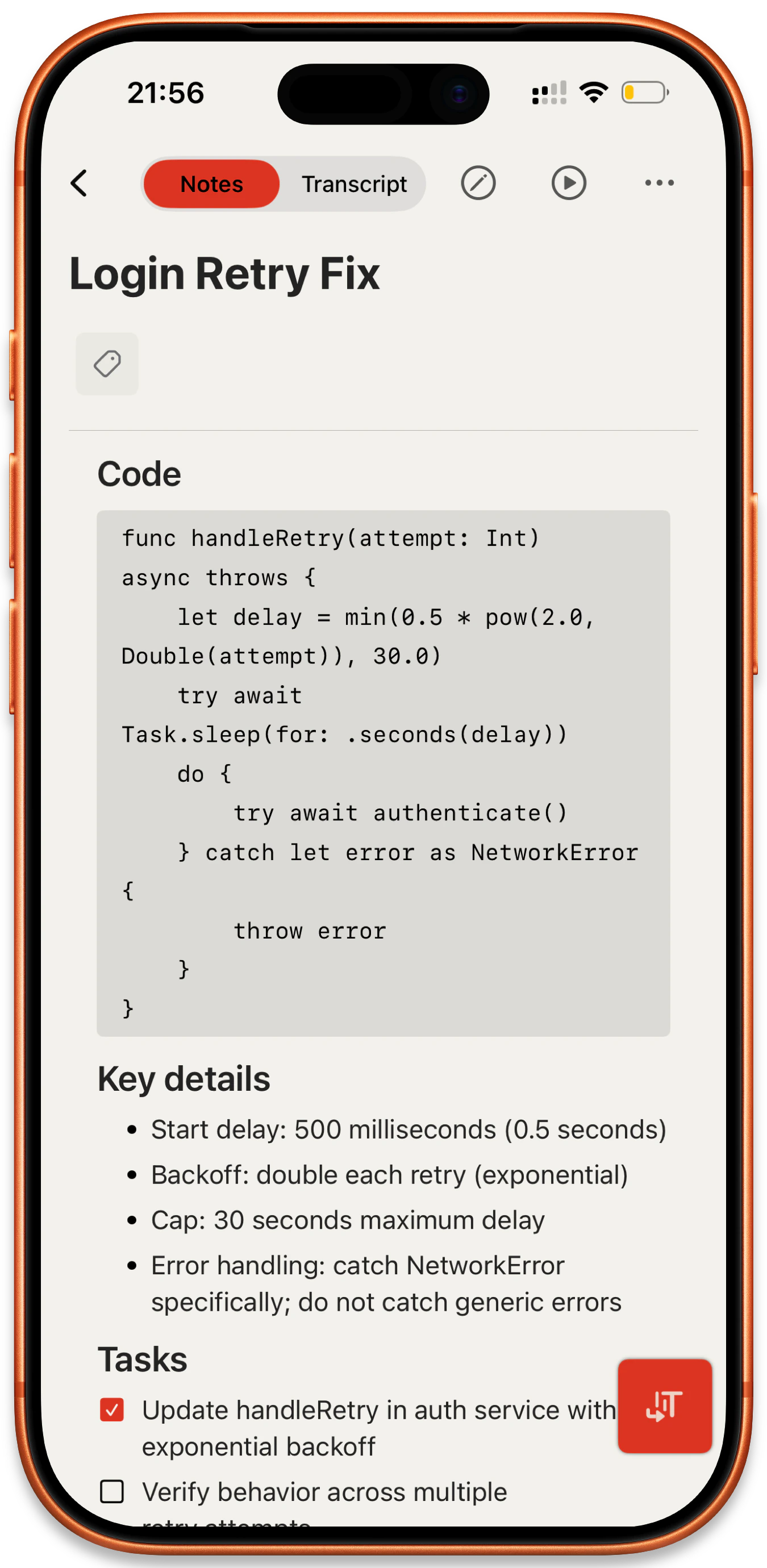
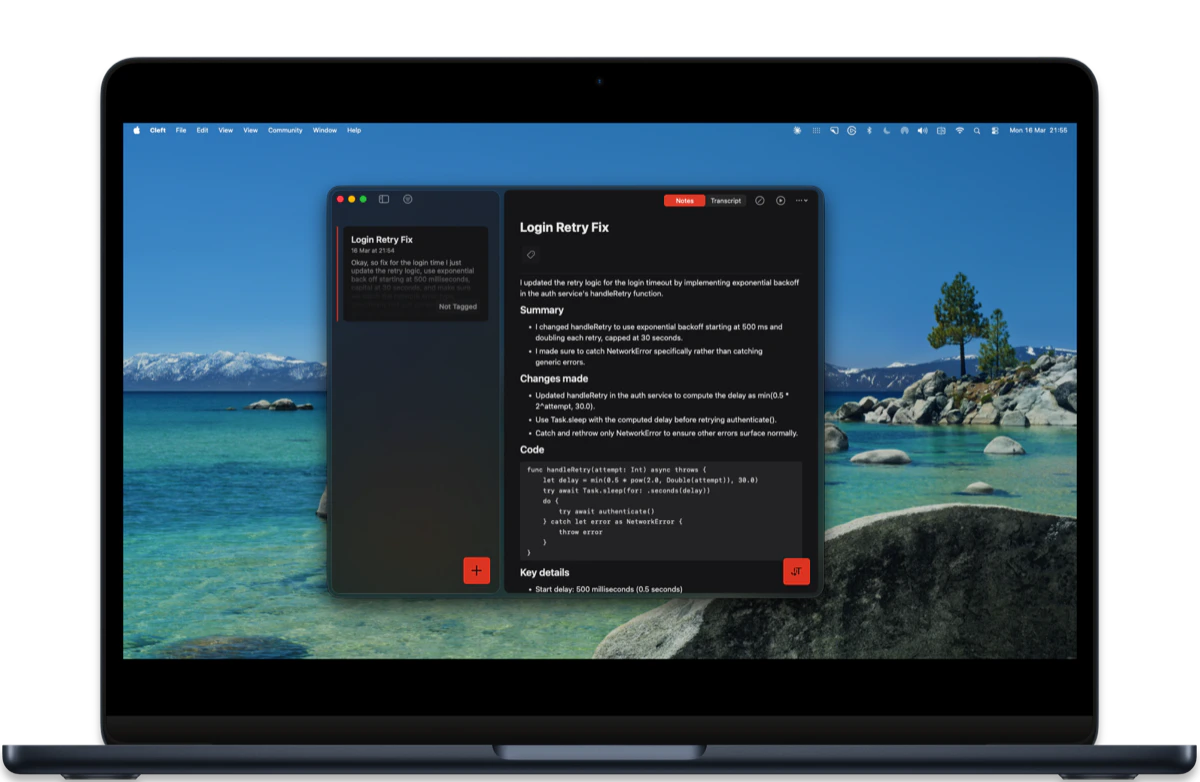
* **Code blocks look the part.** Monospace font and proper styling in your notes.
* **Back means back.** Navigating away cleans up properly.
* **iPad and Mac split view.** Your selected note stays put when you refresh.
### Fixed
* **Way more stable.** Fewer crashes across iPhone, Mac, and Apple Watch.
* **Quieter in the background.** Reduced unnecessary background activity so your battery lasts longer.
* **Deep links work with paywall.** Tapping a link no longer gets stuck.
* **Your audio is protected.** Upload interruptions can't delete your recording.
***
### Contributors
Thanks to marpa73, Nigel, Solange, Vince C, and writethecheck for your feedback.
## Polish Edition
**Platforms:** iOS (build 66) · macOS (build 111) · watchOS (build 66)
Available to download by Friday, March 6.
Nothing new to learn, just a better version of what you already use.
### Added
* **Choose your date format.** Pick the format that makes sense to you in Settings.
* **Cmd+/ for search.** Quick access to search from anywhere on Mac.
* **Keyboard shortcuts in Settings.** Cmd+1 through Cmd+5 to switch tabs on Mac.
* **Better first experience.** Smoother onboarding with instruction templates to get you started.
### Changed
* **Cleaner note list.** Redesigned cards with better spacing.
* **Simpler toolbar on iPhone.** Consolidated into one tidy sheet.
* **Tags.** Unified picker, bigger tap targets, and bulk management across multiple notes.
* **Sharing.** More reliable across iPhone, iPad, and Mac.
* **Spotlight search.** Finds tags, works offline.
* **Mac Settings.** Redesigned with native styling.
* **Smoother transitions.** Less jank when processing notes.
* **AirPods mic on Mac.** Detected properly on first recording.
### Fixed
* **Way more stable.** Eliminated dozens of crash causes across the app.
* **Faster.** Removed hangs that caused momentary freezes.
* **Offline notes work.** No more getting stuck without a connection.
* **Mac polish.** Settings window behaves, logout works, delete alerts are consistent.
* **Watch sync.** Notes don't duplicate, transcription is more reliable, offline recordings sync when you're back online.
***
### Contributors
Thanks to Andy A, Ankur O, Bernardo L, Nigel, Rich P, Rumeet W, Solange A, Tim B, and Vince C for your feedback.
## Liquid Fast Edition
**Platforms:** iOS (build 50) · macOS (build 93) · watchOS (build 50)
Speed is the feature. We rebuilt how sync works, how the notebook engine performs, and how fast your note is ready after recording. Everything just got faster. Still entirely on-device.
### Added
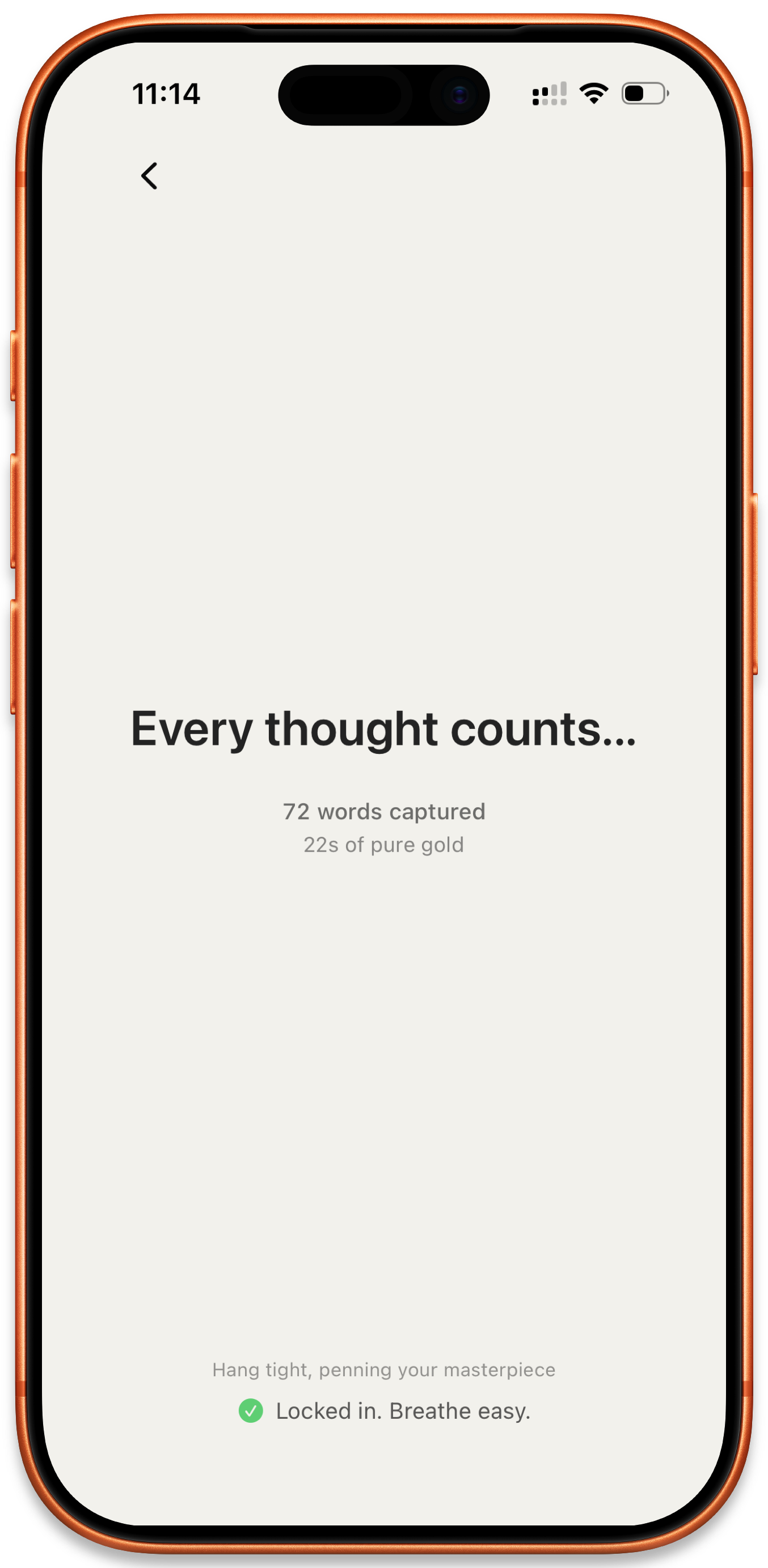
* **Your note is ready when you are.** No more waiting after you stop recording.
* **Synced notes auto-export (Mac).** iPhone & Watch notes land in your local folder automatically.
* **Restart a note while recording.** Changed your mind? Discard and start fresh without leaving the recording screen.
### Changed
* **Record, stop, 3 seconds.** Down from 20 seconds. Upgraded transcription engine.
* **Only changed notes sync.** No more full reloads. Way faster on large libraries.
* **Smarter notebook engine.** Handles tricky recordings without crashing.
* **No more phantom "Thank you".** Silence filtering catches hallucinations.
* **Local Sync works better.** More reliable syncing between devices.
### Fixed
* **Way more stable.** 10+ crash causes eliminated.
* **Quality checks don't repeat every 60 seconds anymore.**
* **Cancel a recording, Live Activity goes away.**
* **Recordings save the moment you hit stop.**
* **GPU issues handled gracefully.** Falls back to CPU if needed.
* **Switch apps mid-recording.** Transcription picks up where you left off.
* **Recording view looks right on Mac.**
* **No more background crashes on Mac.**
* **Copy buttons work reliably on Mac.** Toolbar copy actions no longer fail silently.
***
### Contributors
Thanks to Andy A, Cemre G, Hugh P, Kearney B, Nigel, Rachel M, Rich P, Solange A, Tim B, Tyler S, and Willi B for your feedback.
## Rock-Solid Reliability
**Platforms:** iOS (build 44) · macOS (build 87) · watchOS (build 44)
We caught a few issues from the last release. This one makes things right.
### Fixed
* **Your recordings are safe.** Even if something goes wrong, audio is protected.
* **App stays rock-solid.** No more unexpected crashes.
***
### Contributors
Thanks to Tyler S for catching this one early. Your report got us a quick fix.
## Better Audio, Smoother Sync
**Platforms:** iOS (build 43) · macOS (build 86) · watchOS (build 43)
Happy New Year! Starting as we mean to go on. Lots of goodies in this one.
### Changed
* **Quiet recordings come through clearer.** Better transcription accuracy.
* **See your recording without unlocking.** Timer on your lock screen.
* **Feel when things happen.** Tactile feedback throughout.
* **Know what buttons do.** Hover or long-press any icon.
* **Reopen the sidebar easily.** Collapsed it on iPad? Bring it back.
* **Login codes fill themselves in.** One-tap verification.
* **Widgets update instantly.** Changes reflect right away.
* **iPad looks sharper.** Tighter spacing, cleaner forms.
* **Play unfinished notes.** Listen while still processing.
* **Cleaner clipboard paste.** Strips formatting automatically.
* **Record on your watch with AirPods.** Or Ray-Ban Meta glasses.
* **See where each recording starts.** Dividers between sessions.
### Fixed
* **Offline notes finally sync.** Made a note without wifi? It'll upload.
* **No more stuck spinners.** Reconnecting is instant now.
* **Filters work reliably.** Pick a tag, see matching notes.
* **Bluetooth mics work better.** Smoother device selection.
* **Deleted notes stay deleted.** No more ghost notes.
* **Play button works on Mac.** Click play, it plays.
* **One sync button on Mac.** Removed the duplicate.
* **No more crashes.** Playback, Settings, and more.
* **Keyboard appears reliably.** Fixed iPadOS focus issues.
* **Text doesn't get cut off.** Fixed macOS layout.
* **Background transcription retries.** Retries automatically.
* **Recording status stays in sync.** Lock screen timer works.
* **Mac toolbar polished.** Cleaner buttons, better spacing.
* **Fewer interruptions.** Clearer upgrade paths.
### Accessibility
* **VoiceOver reads context menus.** Full screen reader support.
* **Bigger touch targets.** Buttons are easier to tap, especially on smaller screens.
* **Navigate with your keyboard.** Improved keyboard navigation throughout.
***
### Contributors
Thanks to Andy A, Grant, Mike L, Nigel, Rich P, and Solange for your feedback and bug reports. You make Cleft better.
## A Notes App That Really Works
**Platforms:** iOS (build 34) · macOS (build 74)
We're back to shipping fast. Less things to give you the ick. It's [all the small things](https://www.youtube.com/watch?v=9Ht5RZpzPqw). 🎸 This song, all week. Our Spotify Wrapped? No respect. (This team has no respect for silence, except when we're using the app for note-taking while reading.)
When [David Pierce at The Verge](https://www.theverge.com/2024/3/31/24116047/cleft-notes-ai-voice-spider-verse-short-steve-believers-installer-newsletter) first reviewed Cleft, he said:
> "A notes app that really works."
(You can do blockquotes in Cleft now. 😉)
That was day one. This is us returning to those roots. Making good on that promise.
You asked for a black hole: dump your thoughts, trust they're captured, always synced. We rebuilt the sync layer. Fixed the race conditions. Fixed the edge cases. Your audio stays local. Your notes sync across Mac and phone instantly, reliably. Back to fast. Back to focused.
### Changed
* **Start talking immediately.** Tap record, see your words.
* **Notes follow you everywhere.** Phone to Mac, instantly synced.
* **Pull down to sync.** Grab latest from any device.
* **"Hey Siri, take a note".** Voice commands, hands-free.
* **Keyboard-first on Mac.** N to record, C to copy, S to share. [All shortcuts →](/user-guides/keyboard-shortcuts)
* **Links open in Cleft.** Tap links from emails to jump in.
* **Continue where you left off** *(Plus).* Add recordings to any note.
* **Other apps can use audio.** FaceTime, Spotify work alongside.
* **Pin notes to Home Screen.** Widgets for important notes.
* **Auto-copy to clipboard.** Transcribed note, ready to paste.
* **Richer formatting.** Bold, italic, headings, quotes.
* **See what's included.** Plan features at a glance.
* **Easier-to-read transcripts.** Paragraph breaks for scannability.
* **Accessibility improvements.** VoiceOver, Dynamic Type, haptics.
* **Vote on our roadmap.** Upvote features from Settings.
### Fixed
* **Create notes back-to-back.** Finish one, start another.
* **Say yes to the mic once.** Then we get out of your way.
* **Recordings save reliably.** Voice notes captured consistently.
* **Plus works immediately.** No delays, no refreshing.
* **Record without interruptions.** Talk as long as you need.
* **Switch headphones mid-thought.** Swap devices without losing audio.
* **Offline recordings sync.** Upload when you're back online.
* **See what's waiting.** Pending notes indicator.
* **No more "got interrupted" errors.** Background sync fixed.
* **AirPods just work.** Preferred device stays connected.
* **Smoother waveform.** Fixed rare display glitch.
* **Language settings stick.** No more resets.
* **Mac opens cleanly.** One window, every time.
***
### For Our International Users 🌍
We support [57 languages](/user-guides/languages). This release brings transcription from "okay for some" to much better, whether you're in Germany, Norway, Brazil, or anywhere else.
**What's new:** Transcription and note language are now synced. Multilingual switching is on the [roadmap](https://cleft.canny.io/feature-requests/p/easy-language-switch).
**What language would make Cleft work better for you?** [Let us know →](mailto:hello+languages@cleftnotes.com?subject=Language%20Request)
***
### Contributors
Thanks to Andy, Betsy U, Bjørn, David P, DC, Elaine S, Four, Frank, Glenneth, Grant, Gus S, Harald, Hasan, Jan, Jo, Justin F, Kurtis, Lally S, Lasse, Meighan O'T, Michelle B, Mike L, Morgan, Nigel, Oddbjørn, Paddy R, Paul S, Rich P, Robert L, Ruby, Solange, Stefanie S, Steve H, Szymon, Tim B, Tyler S, Victor O, Vince, and WSig for your detailed bug reports and feedback. Your care made this release possible.
**New card-based Zapier template gallery with visual hierarchy and time-saving metrics**
* **[13 Zapier Templates](/user-guides/integrations/zapier/templates)** - Enhanced card-based display showing status, setup time, and daily time savings for each template
* **Organized by Category** - Task Management (7), Issue Tracking (3), Knowledge Management (2), and Note-Taking (1) templates for easy discovery
* **Visual Hierarchy** - Each card displays ✅ Public status, \~2 min setup time, and 10-20 min/day saved - making ROI transparent at a glance
* **Platform Browse** - Find templates organized by your favorite tools: Todoist, Asana, ClickUp, GitHub, Jira, Notion, Reflect, and more
Zapier automations are now easier to discover and understand! ⚡
**Version 1.10.0** · iOS Build 39
iOS users, v1.10 is NOW LIVE on the App Store! 🚀 Apple approved it ahead of schedule. This release brings all the powerful features from the macOS release to your iPhone, iPad, and Apple Watch.
### What's New
* **[Spotlight Search](/user-guides/getting-started#find-notes-instantly-with-spotlight-search-new-in-v1-10)** - Find any note instantly from anywhere on your device - just swipe down and search! [Watch demo →](https://www.youtube.com/watch?v=2WiR8WtaZH0)
* **[Live Transcription](/user-guides/recording-voice-notes)** - Watch your words appear in real-time as you speak
* **[Apple Watch Support](/user-guides/apple-watch)** - Record notes directly from your wrist! Recordings sync to your iPhone for transcription and processing. Includes complications for quick access.
* **[2x Faster Performance](/user-guides/transcripts#performance)** - Everything's snappier with our improved Whisper model
**Docs are now easier to navigate!**
We reorganized [learn.cleftnotes.com](https://learn.cleftnotes.com/readme) based on your feedback:
* **Simpler structure** - Find what you need in 3 clear sections: [User Guides](/user-guides/getting-started), [The Cookbook](/user-guides/the-cookbook), and [Resources](/community)
* **Better support** - New dedicated pages for [getting help](/user-guides/contact-support) and understanding [your data rights](/user-guides/data-rights)
* **Role-specific guides** - Whether you're a [CEO](/user-guides/daily-capture-routines), [student](/user-guides/daily-capture-routines), or [creative](/user-guides/daily-capture-routines), we have guides for you
* **Cleaner navigation** - Everything is where you'd expect it to be
All ready for iOS v1.10! 🚀
**Stronger data protections and clearer privacy commitments**
* **Expanded vendor transparency** - Complete list now includes 37 vendors (up from 32) with enhanced EU data residency including 1Password, Revolut Business, Cloudflare, Namecheap, and Rebrandly → [View All Vendors](https://cleftnotes.com/trust/vendors)
* **Lowered age requirement** - Now welcoming users 13+ with parental or bill payer's permission (down from 16+) → [Terms of Service](https://cleftnotes.com/terms)
* **Enhanced accessibility roadmap** - Clear timeline for screen reader support, VoiceOver improvements, and Cleft 2.0 accessibility features → [Accessibility Statement](https://cleftnotes.com/accessibility)
* **Updated data processing agreement** - Enhanced with missing vendor details and improved transparency → [Data Processing Agreement](https://cleftnotes.com/trust)
* **Refreshed privacy policies** - All trust center documents aligned with current protections → [Trust Center Overview](https://cleftnotes.com/trust)
Your privacy and accessibility matter to us. These updates ensure complete visibility into how we protect your thoughts. 🔒
**Version 1.10.0** · macOS Build 26 · iOS available by September 12th
### Added
* **[Spotlight Search](/user-guides/getting-started#find-notes-instantly-with-spotlight-search-new-in-v1-10)** - Find any note instantly from anywhere on your Mac. Just use Command+Space and search - your notes are now part of macOS Spotlight! [Watch demo →](https://www.youtube.com/watch?v=2WiR8WtaZH0)
* **[Live Transcription](/user-guides/transcripts#live-transcription)** - Watch your words appear in real-time as you speak. See exactly what's being captured with our new progress indicator.
* **[Better Offline Sync](/user-guides/using-cleft-offline)** - Captured a thought without internet? No problem. Your notes sync perfectly when you're back online.
### Changed
* **[2x Faster Performance](/user-guides/transcripts#performance)** - Everything's snappier! Made significant improvements to the Whisper model utilizing CoreML for even better and faster processing on device. Note: The app size is slightly larger due to the improved model. The first transcription will be a little slower as it loads the model into memory.
* **Full macOS Parity** - Mac users get all the same great features including Spotlight Search with Command+Space.
* **Documentation Overhaul** - [learn.cleftnotes.com](https://learn.cleftnotes.com/readme) got a major facelift! Check out the refreshed [Getting Started](/user-guides/getting-started) guide, new platform-specific sections for [iOS](/user-guides/ios) and [macOS](/user-guides/macos), plus tons of new content throughout.
### Important Notes
* **macOS Release**: Available now on Mac App Store
* **iOS Coming Soon**: iOS version with Spotlight Search coming soon - stay tuned!
* You may need to re-authenticate after updating to this version.
**Version 1.9.0** · iOS Build 25 · macOS pending
### Added
* **[Enhanced Audio Device Handling](/user-guides/recording-voice-notes#audio-devices)** - Seamlessly switch between AirPods, headsets and internal microphone during recording
* **[Microphone Indicator](/user-guides/recording-voice-notes#microphone-indicator)** - New indicator showing current audio input device while recording
* **Push Notifications** - Get notified for recording interruptions (calls, alarms)
### Changed
* **[Optimized Whisper Model](/user-guides/transcripts#performance)** - Now loads after recording starts to improve performance on older devices
* **[Editor Improvements](/user-guides/editing-notes#editing)** - Increased line height in the editor for easier note editing
* **[Delete UX](/user-guides/managing-voice-notes#note-actions)** - Removes the current note from view if you delete it (Thanks Vince!)
**Version 1.8.0** · iOS Build 24
### Added
* **[Notion Integration](/user-guides/integrations/notion/overview)** - Send your Cleft notes to Notion with our latest integration
* **[Auto-send to Notion](/user-guides/integrations/notion/overview#auto-send)** - Auto send the note to Notion if you only have 1 Notion database selected. Instant send, less clicks.
* **[Offline States](/user-guides/using-cleft-offline#visual-indicators)** - Added a nice new empty state and offline state for when you're recording offline!
* **[Silence Detection](/user-guides/transcripts#silence-detection)** - Improved silence detection for long recordings
* **[Send Icon](/user-guides/exporting-notes#sharing)** - New Send icon (paper plane) with integrated sharing options
### Changed
* **[Editor Readability](/user-guides/editing-notes#editor)** - Enhanced editor readability with increased line height
* **[Sync Context Menu](/user-guides/syncing-notes#manual-sync)** - Added Sync Online to context menu for offline notes
* **[Dark Mode](/user-guides/settings#appearance)** - Improved dark mode in integrations view
* **[iOS Share Menu](/user-guides/exporting-notes#ios-sharing)** - Changed the iOS share menu to use dropdowns like the macOS and iPad apps
### Fixed
* Image upload reliability issues
* Recording resume after app switch
* Offline transcript saving
* Icon size consistency
* Text truncation issue in view tab
* Dynamic font sizes on pop over menus
* Shareable link auto-copy to clipboard
[Jonny Cosgrove introduces Amber](https://speak-easy.transistor.fm/17) on [Speak Easy Podcast](/resources/speak-easy-podcast) - Cleft's founder discusses company progress and announces Amber, a new product complementing Cleft's voice-first approach (27:40)
Listen to all episodes featuring top leaders and innovators sharing their systems for success.
[The 25 Best New Apps of 2024](https://www.fastcompany.com/91251391/the-25-best-new-apps-of-2024) on Fast Company - Featured in annual best apps roundup
[Ang Jandak on Innovation & Transformation](https://speak-easy.transistor.fm/16) on [Speak Easy Podcast](/resources/speak-easy-podcast) - How business functions interconnect and the importance of "radical understanding" (31:48)
[The Generalist Gift Guide](https://www.generalistcareer.com/p/the-generalist-gift-guide) on The Generalist - Featured as top productivity tool recommendation
[John Lee on Working From Anywhere](https://speak-easy.transistor.fm/15) on [Speak Easy Podcast](/resources/speak-easy-podcast) - CEO of Work From Anywhere discusses cultural awareness and communication in a global world (25:08)
[Grace Gavin on Open Communication](https://speak-easy.transistor.fm/14) on [Speak Easy Podcast](/resources/speak-easy-podcast) - Chief of Staff at Know Honesty reveals how "open and honest" transforms workplace relationships (27:49)
**Version 1.7.0** · iOS Build 23
### Added
* **[Apple Family Sharing](/user-guides/restore-account-and-purchases#family-sharing)** - Support for Apple Family Sharing
* **[Custom Instructions](/user-guides/custom-instructions)** - Custom instructions for Plus Plan subscribers
### Changed
* **[New Pricing](/user-guides/upgrade-to-plus)** - Annual plan $39/year (was $89/year), Monthly plan $7/month (was $9/month)
* **Family Sharing** - Family sharing capabilities under one subscription
### Fixed
* Tag saving issue when tapping return on keyboard
* Lock screen widget issue on iOS18
[Nadia Harris on Remote Work](https://speak-easy.transistor.fm/13) on [Speak Easy Podcast](/resources/speak-easy-podcast) - Remote work lawyer discusses the evolving world of work (25:04)
[Sara Lobkovich on Well-being OKRs](https://speak-easy.transistor.fm/12) on [Speak Easy Podcast](/resources/speak-easy-podcast) - Coaching on goal setting focused on well-being and intrinsic motivation (26:05)
[Anna Burgess Yang on Productivity](https://speak-easy.transistor.fm/11) on [Speak Easy Podcast](/resources/speak-easy-podcast) - Former corporate executive discusses productivity and work-life integration (23:31)
[Susan Boles on Calmer Business](https://speak-easy.transistor.fm/10) on [Speak Easy Podcast](/resources/speak-easy-podcast) - CFO at Beyond Margins discusses building businesses focused on comfortable margins (24:30)
[How to Use Voice Apps to Capture Ideas](https://blog.annabyang.com/voice-apps/) by Anna Burgess Yang - Comprehensive guide featuring Cleft's approach to voice capture
[Katherine Sanders on ADHD](https://speak-easy.transistor.fm/9) on [Speak Easy Podcast](/resources/speak-easy-podcast) - Neurodivergent ADHD coach discusses how divergent thinkers approach productivity (22:00)
[Meighan O'Toole on Knowledge Management](https://speak-easy.transistor.fm/8) on [Speak Easy Podcast](/resources/speak-easy-podcast) - Journey from physical notebooks to digital tools (25:56)
**Version 1.6.0** · iOS Build 22
### Added
* **[Zapier Triggers](/user-guides/integrations/zapier/templates)** - Improved Zapier Triggers with tag-based automation
* **[Zapier Export](/user-guides/integrations/zapier/templates)** - Enhanced Zapier data export capabilities
* **[Smart Audio Handling](/user-guides/recording-voice-notes#smart-audio)** - Smart audio handling for iOS/iPadOS
### Changed
* **macOS**: [Audio device selection](/user-guides/settings#audio) in settings
* **macOS**: [Keyboard shortcuts](/user-guides/keyboard-shortcuts) reference in Menu Bar
* **iOS/iPadOS**: [Automatic audio pause/resume](/user-guides/recording-voice-notes#auto-pause) during recording
* **iOS/iPadOS**: [Enhanced clipboard options](/user-guides/exporting-notes#clipboard) for new notes
### Fixed
* Page navigation issues in iOS 18
* Streamlined interface improvements
[Ali Greene on Remote Documentation](https://speak-easy.transistor.fm/7) on [Speak Easy Podcast](/resources/speak-easy-podcast) - Author of Remote Works discusses how documentation enables workplace flexibility (26:24)
[Claire Podulka on Communication](https://speak-easy.transistor.fm/6) on [Speak Easy Podcast](/resources/speak-easy-podcast) - Chief of Staff at TXI discusses effective communication as a skill (21:39)
[Dr. Cindy Young on Knowledge Sharing](https://speak-easy.transistor.fm/5) on [Speak Easy Podcast](/resources/speak-easy-podcast) - Human-centered knowledge management and the importance of sharing (21:45)
**Terms Update** - Updated terms of service with expanded user protections
Key updates include 16+ age requirement, clear 14-day no-questions-asked refund policy, simplified account responsibilities, and enhanced user rights protections under Irish law.
[Legal Tech Secrets: Voice Notes for Lawyers](https://podcasts.apple.com/ie/podcast/ernie-the-attorney-a-tech-whisperer-shares-his/id414672788?i=1000671308501) on New Solo - How voice notes are transforming legal documentation (32:15)
[Katie Scheuer on Effective Meetings](https://speak-easy.transistor.fm/4) on [Speak Easy Podcast](/resources/speak-easy-podcast) - Learning designer at Mural discusses collaborative work practices (24:03)
**Version 1.5.0** · iOS Build 21 · macOS Build 21
### Added
* **[macOS App](/user-guides/getting-started#macos)** - macOS application on Mac App Store
* **[In-app Purchases](/user-guides/upgrade-to-plus)** - In-app purchases for iOS and macOS
* **[Clipboard Options](/user-guides/exporting-notes#clipboard-options)** - Enhanced clipboard functionality with multiple copy options
### Changed
* Automatic clipboard copy options for:
* [Links](/user-guides/shareable-links)
* [Markdown](/user-guides/exporting-notes#markdown)
* [Plaintext](/user-guides/exporting-notes#plaintext)
* [Combined text and shared links](/user-guides/exporting-notes#combined)
### Known Issues
* Gaps in silence with Whisper model
[Angela Bierman on Corporate Brain](https://speak-easy.transistor.fm/3) on [Speak Easy Podcast](/resources/speak-easy-podcast) - Building a "corporate brain" to preserve institutional knowledge (26:46)
**Privacy & Terms Enhancement** - Major policy updates reinforcing our data protection commitment
Enhanced GDPR and CCPA compliance, explicit commitment to never train AI models on user data, EU AI Act compliance, and strengthened user privacy rights. Updated terms of service (v1.3) to align with privacy enhancements. Our privacy promise: we guard your notes and respect your privacy.
[Jonny Cosgrove on Thought Management](https://speak-easy.transistor.fm/2) on [Speak Easy Podcast](/resources/speak-easy-podcast) - Neurodivergent entrepreneur discusses managing thoughts and tasks (25:27)
[Trailer](https://speak-easy.transistor.fm/trailer1) on [Speak Easy Podcast](/resources/speak-easy-podcast) - Welcome to Speak Easy with Tyler Sellhorn (01:12)
[If You Have an iPhone, Check This](https://www.the8020lawyer.com/p/if-you-have-an-iphone-check-this) on The 80/20 Lawyer - How lawyers are using Cleft for legal documentation
**Version 1.4.0** · iOS Build 20
### Added
* **[Password Protected Links](/user-guides/shareable-links#password-protection)** - Password protected shareable links for Plus Plan
* **[Account Management](/user-guides/account-setup)** - Account details update functionality
* **[Auto-copy on macOS](/user-guides/copying-notes#auto-copy-feature)** - Auto-copy to clipboard on macOS
### Fixed
* [Microphone functionality issues](/user-guides/recording-voice-notes#troubleshooting)
* [Filter performance improvements](/user-guides/managing-voice-notes#filters)
Featured in [Designer Daily Report](https://app.designerdailyreport.com/archive) - Voice-first design patterns for productivity apps
**Version 1.3.0** · iOS Build 19
### Added
* **Initial Release** - First App Store release for iOS and iPadOS
* **[Refined UI](/user-guides/settings)** - Refined user interface
* **Beta Migration** - Smooth migration for beta testers
### Known Issues
* [Whisper model silence gaps](/user-guides/transcripts#known-issues)
* [Initial microphone registration issues](/user-guides/recording-voice-notes#known-issues)
**Version 0.18.0**
#### Added
* **[Rolling Notes](/user-guides/appending-to-notes)** - Rolling notes with voice recording append
* **[User Profiles on Mac](/user-guides/account-setup#mac-profiles)** - User profile management on Mac
* **[Note Merging](/user-guides/managing-voice-notes#note-actions)** - Horizontal line breaks for merged notes
#### Fixed
* iOS 18 recording glitches
* [Obsidian plugin functionality](/user-guides/integrations/obsidian/overview#troubleshooting)
[AI Tools for Solopreneurs (That Are Actually Useful)](https://blog.annabyang.com/ai-tools-for-solopreneurs/) by Anna Burgess Yang - Featured in productivity tools roundup
**Version 0.17.0**
#### Added
* **[Obsidian Integration](/user-guides/integrations/obsidian/overview)** - Obsidian direct one-way sync
* **[Image Addition on Plus](/user-guides/attachments)** - Image addition to notes on Plus plan
* **[Silence Detection](/user-guides/transcripts#silence-detection)** - 2-second silence detection for audio quality
#### Fixed
* Search keyboard jumping issue
[The BEST NEW APPS for iPad, Mac, iPhone](https://www.youtube.com/watch?v=2xmQ8wRug98\&t=363) on DailyTekk - Featured review of Cleft's voice-first approach
[Milking your content](https://8-bit-growth.beehiiv.com/p/milking-content) on 8-bit Growth - How Cleft transforms voice into structured content
**Version 0.16.0**
#### Added
* **[Action Extension](/user-guides/integrations/apple-shortcuts/overview#action-extension)** - iOS Action Extension for easy text note creation
* **[Shareable Links](/user-guides/shareable-links)** - Shareable link functionality (Plus plan)
* **[Advanced Clipboard](/user-guides/exporting-notes#advanced)** - Enhanced clipboard functionality
#### Fixed
* Delete button accidentally deleting notes
**Version 0.15.0**
#### Added
* **[Offline Mode](/user-guides/using-cleft-offline)** - Full offline mode for iOS
* **[Conversation Capture](/user-guides/recording-voice-notes#conversations)** - iPad/macOS conversation capture
* **[Settings Transfer](/user-guides/settings#transfer)** - Settings copy to clipboard on iOS
* **[Note Title Display](/user-guides/editing-notes#titles)** - Note title shown in blue on iPadOS
#### Fixed
* macOS transcription and custom command issues
[Voice-First Note Taking](https://www.youtube.com/watch?v=tkN8KlWKoWE\&t=4739) on The Data Café - Exploring how Cleft is changing the way we capture ideas (15:20)
[Cleft Is an AI-Powered Voice Notes App for Your iPhone and Mac](https://lifehacker.com/tech/cleft-is-an-ai-powered-voice-notes-app-for-your-iphone-and-mac) on Lifehacker - Comprehensive review
**Version 0.14.0**
#### Added
* **[Local Transcription](/user-guides/transcripts#local)** - OpenAI's Whisper for local transcription
* **[Offline Storage](/user-guides/using-cleft-offline#storage)** - Offline note storage capability
#### Fixed
* Recording lock issue
* Connection stability improvements
[Voice Note Security & Privacy](https://podcasts.apple.com/us/podcast/liquidmatrix-security-digest-podcast-episode-7c/id533166516?i=1000661928260) on Liquidmatrix Security Digest - Deep dive into Cleft's approach to secure voice notes (28:45)
**Version 0.13.0**
#### Added
* **[Restore Purchases](/user-guides/restore-account-and-purchases)** - Account restoration functionality
* **Mac Features** - 50-word limit removed for Mac
* **[Privacy Policy](/user-guides/privacy)** - Updated privacy information
#### Changed
* Improved authentication flow
**Version 0.12.0**
#### Added
* **[Zapier Integration](/user-guides/integrations/zapier/templates)** - Enhanced Zapier connectivity
* **[Apple Notes Integration](/user-guides/integrations/apple-notes/overview)** - Direct Apple Notes support
* **[Authentication](/user-guides/account-setup#authentication)** - Improved authentication system
#### Fixed
* Background transcription issue
**Terms Enhancement** - Added comprehensive refund policy
Introduced our no-questions-asked 14-day refund policy, ensuring users have confidence in their Cleft Plus subscription. This policy demonstrates our commitment to user satisfaction and transparency in billing practices.
**Version 0.11.0**
#### Changed
* **[Custom Instructions](/user-guides/custom-instructions#improvements)** - Custom instructions improvements
* **[Audio Recording](/user-guides/recording-voice-notes#quality)** - Enhanced recording quality (from 24Hz to 44Hz)
#### Fixed
* Sync reliability improvements
**Version 0.10.0**
#### Added
* **[Spotlight Search](/user-guides/getting-started#spotlight)** - Early Spotlight search implementation
* **[Audio Device Settings](/user-guides/settings#audio-devices)** - Audio device preferences
#### Fixed
* Recording and note display issues
[How AI will change CX](https://lemon-cat-56rt.squarespace.com/articles/how-ai-will-change-cx) on CustomerSuccess.cx - Featured as innovative AI transcription tool
**Version 0.9.0**
#### Added
* **[Widget Support](/user-guides/widgets-and-action-button)** - Control Center and interactive widgets
* **[Live Activity](/user-guides/transcripts#live-activity)** - Recording monitoring
* **[Mac Spotlight](/user-guides/getting-started#mac-spotlight)** - Spotlight search on Mac
#### Fixed
* Recording limit issues
**Version 0.8.0**
#### Added
* **[Shortcuts App](/user-guides/integrations/apple-shortcuts/overview)** - Apple Shortcuts integration
* **Recording Features** - 10 free recordings, 3-minute time limit
#### Changed
* Updated onboarding experience
[Building the Future of Note Taking](https://www.youtube.com/watch?v=el4dGYF_38I\&t=3054) on The Vergecast - How Cleft is reimagining productivity through voice (25:30)
[Microsoft Copilot+ PCs: Has the AI computer revolution finally arrived?](https://www.geekwire.com/2024/microsoft-copilot-pcs-is-this-the-ai-computer-revolution-weve-been-looking-for/) on GeekWire Podcast - Featured among favorite AI tools (37:00)
**Version 0.7.0**
#### Added
* **[Note Timestamps](/user-guides/editing-notes#timestamps)** - Note creation timestamps
* **[Mac Keyboard Shortcuts](/user-guides/keyboard-shortcuts)** - Command shortcuts for Mac
* **[Note Editing](/user-guides/editing-notes#editing)** - Enhanced editing capabilities
#### Fixed
* User preference saving
**Version 0.6.0**
#### Added
* **[Search](/user-guides/managing-voice-notes#search)** - Search functionality for notes
* **[Custom Instructions](/user-guides/custom-instructions)** - Early custom instructions
* **UI Improvements** - Splash screen and navigation
[Buy Me a Coffee's founder has built an AI-powered voice note app](https://techcrunch.com/2024/05/13/buymeacoffees-founder-has-built-an-ai-powered-voice-note-app/) on TechCrunch - Exclusive feature on Cleft's launch
**Version 0.5.0**
#### Added
* **UI Overhaul** - Complete interface redesign
* **[Note Summaries](/user-guides/editing-notes#summaries)** - AI-powered summaries
* **Performance** - Speed improvements
[Cleft Notes is the AI app that turns your voice into action](https://meighanotoole.substack.com/p/cleft-notes-is-the-ai-app-that-turns) on Ops+Bots - Deep dive into voice-first productivity
**Version 0.4.0**
#### Added
* **[Note Organization](/user-guides/managing-voice-notes)** - Basic organization features
* **[Audio Controls](/user-guides/recording-voice-notes#controls)** - Playback speed controls
#### Fixed
* Critical bug fixes
[Cleft Notes is the Thinking Companion I Didn't Know I Needed](https://thesweetsetup.com/cleft-notes-is-the-thinking-companion-i-didnt-know-i-needed/) on The Sweet Setup - In-depth review
**Version 0.3.0**
#### Added
* **[Onboarding](/user-guides/getting-started#onboarding)** - Initial onboarding flow
* **[Basic Features](/user-guides/recording-voice-notes)** - Core voice note functionality
**Version 0.2.0**
#### Added
* **Foundational Features** - Basic app infrastructure
* **[Voice Recording](/user-guides/recording-voice-notes#recording)** - Initial recording capability
**Version 0.1.0**
#### Added
* **Initial Beta** - First beta release for testing
* **Core Functionality** - Basic voice-to-text features
Featured in [Department of Product: Briefing](https://departmentofproduct.substack.com/p/briefing-snapchat-planets-jira-views) - How Cleft is changing product development workflows
[Tired of taking manual notes? This AI app called 'Cleft Notes' will make your work easy](https://tech.hindustantimes.com/how-to/tired-of-taking-manual-notes-this-ai-app-called-cleft-notes-will-make-your-work-easy-71712039977826.html) on HT Tech - Product review
[Transform Your Voice Memos Into Polished, Shareable Notes](https://www.absolutegeeks.com/reviews/cleft-review-transform-your-voice-memos-into-polished-shareable-notes/) on Absolute Geeks - Comprehensive review
[Our 5 favorite AI voice notes apps for different purposes](https://dataconomy.com/2024/04/01/exploring-the-5-best-ai-voice-notes-apps/) on Dataconomy - Featured review
[An AI voice notes app that really works](https://www.theverge.com/2024/3/31/24116047/cleft-notes-ai-voice-spider-verse-short-steve-believers-installer-newsletter) on The Verge - Launch coverage
**Policy Alignment** - Pre-release policy updates
Updated both privacy policy and terms of service to align with upcoming product functionalities. Added Subject Access Request form for enhanced user data control and transparency.
***
**Foundation Established** - First comprehensive privacy policy and terms of service
Established Cleft's foundational commitment to user privacy and data protection. Created our initial privacy promise that your data belongs to you, not us - a principle that continues to guide everything we build.
***
*For more information about upcoming features, visit our [roadmap](https://cleftnotes.com/roadmap) or join our [community](/community).*

 ### Changed
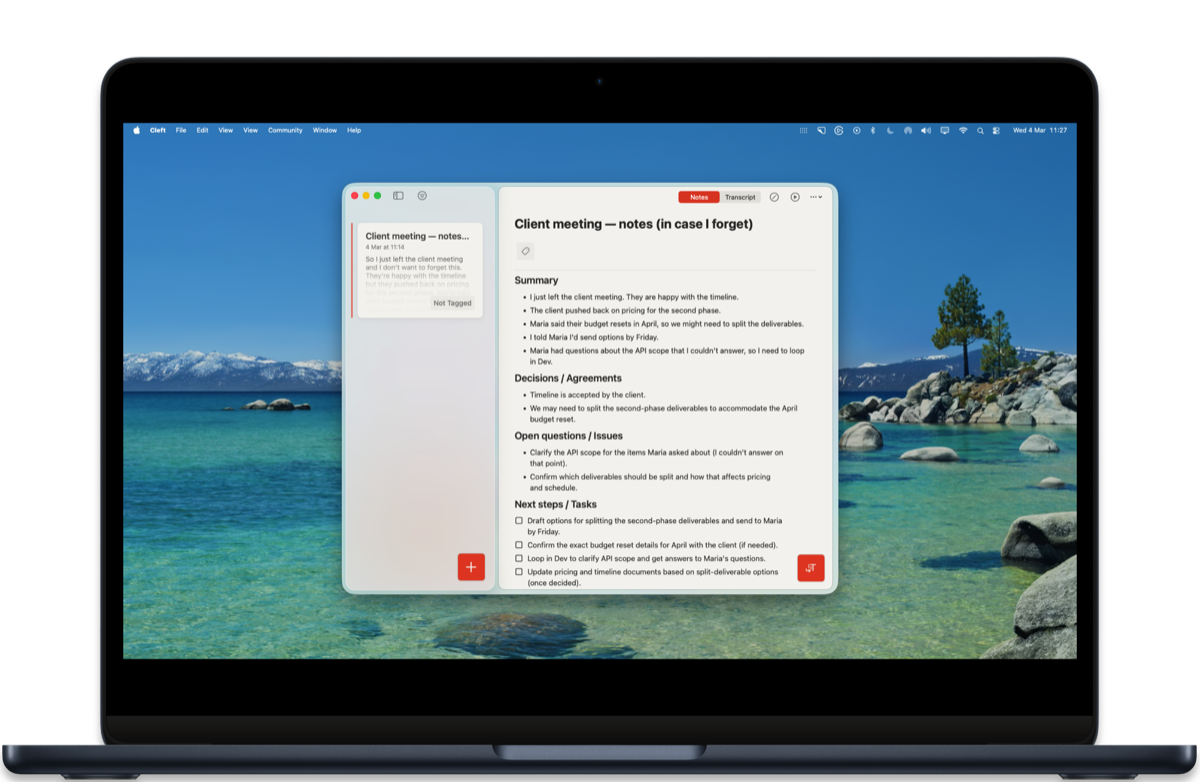
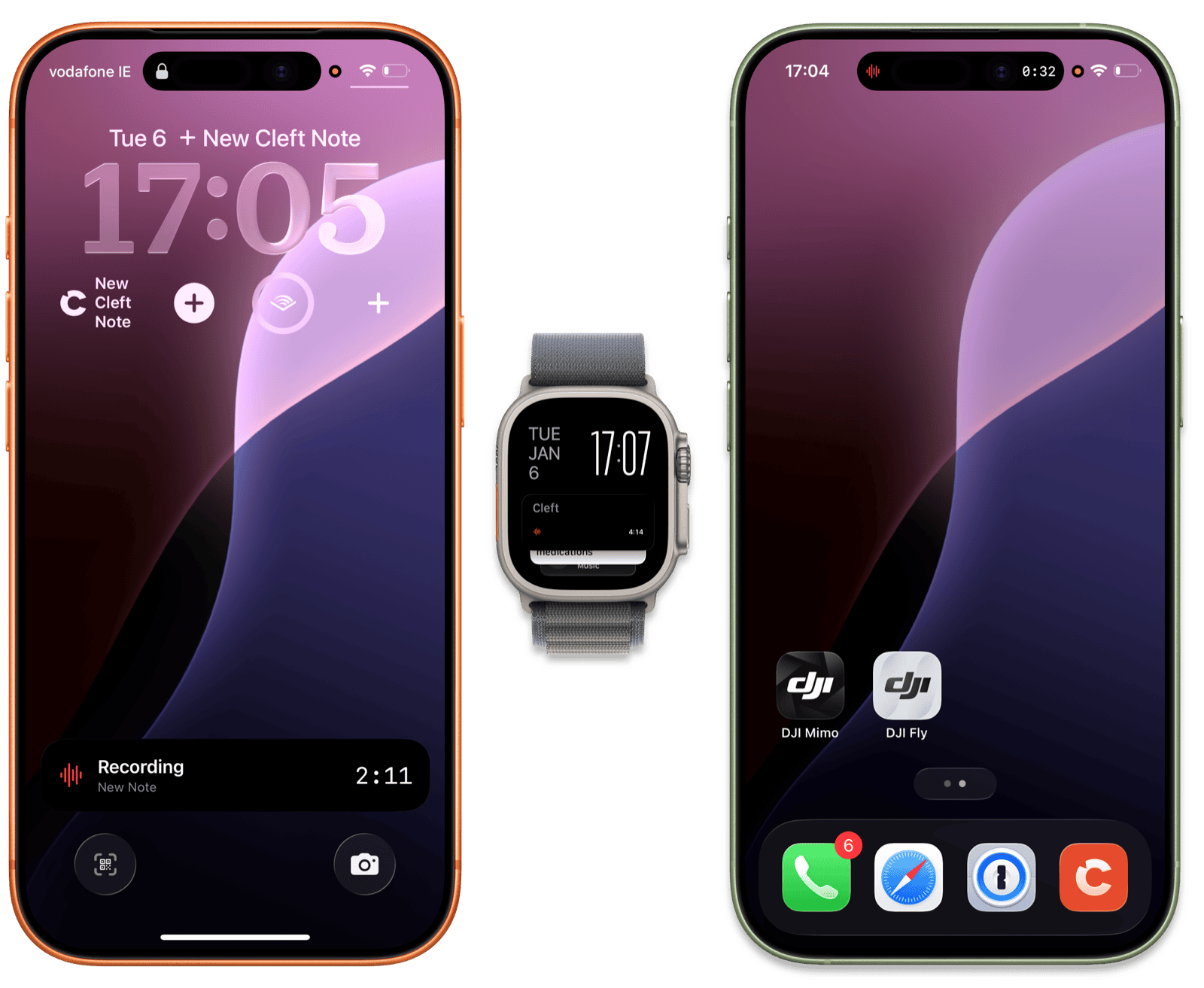
* **Quiet recordings come through clearer.** Better transcription accuracy.
* **See your recording without unlocking.** Timer on your lock screen.
* **Feel when things happen.** Tactile feedback throughout.
* **Know what buttons do.** Hover or long-press any icon.
* **Reopen the sidebar easily.** Collapsed it on iPad? Bring it back.
* **Login codes fill themselves in.** One-tap verification.
* **Widgets update instantly.** Changes reflect right away.
* **iPad looks sharper.** Tighter spacing, cleaner forms.
* **Play unfinished notes.** Listen while still processing.
* **Cleaner clipboard paste.** Strips formatting automatically.
* **Record on your watch with AirPods.** Or Ray-Ban Meta glasses.
* **See where each recording starts.** Dividers between sessions.
### Fixed
* **Offline notes finally sync.** Made a note without wifi? It'll upload.
* **No more stuck spinners.** Reconnecting is instant now.
* **Filters work reliably.** Pick a tag, see matching notes.
* **Bluetooth mics work better.** Smoother device selection.
* **Deleted notes stay deleted.** No more ghost notes.
* **Play button works on Mac.** Click play, it plays.
* **One sync button on Mac.** Removed the duplicate.
* **No more crashes.** Playback, Settings, and more.
* **Keyboard appears reliably.** Fixed iPadOS focus issues.
* **Text doesn't get cut off.** Fixed macOS layout.
* **Background transcription retries.** Retries automatically.
* **Recording status stays in sync.** Lock screen timer works.
* **Mac toolbar polished.** Cleaner buttons, better spacing.
* **Fewer interruptions.** Clearer upgrade paths.
### Accessibility
* **VoiceOver reads context menus.** Full screen reader support.
* **Bigger touch targets.** Buttons are easier to tap, especially on smaller screens.
* **Navigate with your keyboard.** Improved keyboard navigation throughout.
***
### Contributors
Thanks to Andy A, Grant, Mike L, Nigel, Rich P, and Solange for your feedback and bug reports. You make Cleft better.
### Changed
* **Quiet recordings come through clearer.** Better transcription accuracy.
* **See your recording without unlocking.** Timer on your lock screen.
* **Feel when things happen.** Tactile feedback throughout.
* **Know what buttons do.** Hover or long-press any icon.
* **Reopen the sidebar easily.** Collapsed it on iPad? Bring it back.
* **Login codes fill themselves in.** One-tap verification.
* **Widgets update instantly.** Changes reflect right away.
* **iPad looks sharper.** Tighter spacing, cleaner forms.
* **Play unfinished notes.** Listen while still processing.
* **Cleaner clipboard paste.** Strips formatting automatically.
* **Record on your watch with AirPods.** Or Ray-Ban Meta glasses.
* **See where each recording starts.** Dividers between sessions.
### Fixed
* **Offline notes finally sync.** Made a note without wifi? It'll upload.
* **No more stuck spinners.** Reconnecting is instant now.
* **Filters work reliably.** Pick a tag, see matching notes.
* **Bluetooth mics work better.** Smoother device selection.
* **Deleted notes stay deleted.** No more ghost notes.
* **Play button works on Mac.** Click play, it plays.
* **One sync button on Mac.** Removed the duplicate.
* **No more crashes.** Playback, Settings, and more.
* **Keyboard appears reliably.** Fixed iPadOS focus issues.
* **Text doesn't get cut off.** Fixed macOS layout.
* **Background transcription retries.** Retries automatically.
* **Recording status stays in sync.** Lock screen timer works.
* **Mac toolbar polished.** Cleaner buttons, better spacing.
* **Fewer interruptions.** Clearer upgrade paths.
### Accessibility
* **VoiceOver reads context menus.** Full screen reader support.
* **Bigger touch targets.** Buttons are easier to tap, especially on smaller screens.
* **Navigate with your keyboard.** Improved keyboard navigation throughout.
***
### Contributors
Thanks to Andy A, Grant, Mike L, Nigel, Rich P, and Solange for your feedback and bug reports. You make Cleft better.