> ## Documentation Index
> Fetch the complete documentation index at: https://learn.cleftnotes.com/llms.txt
> Use this file to discover all available pages before exploring further.

# Refresh Cleft

> Pull the latest notes from the server when things aren't syncing

Notes not showing up? Refresh pulls the latest from the server.

## Mac

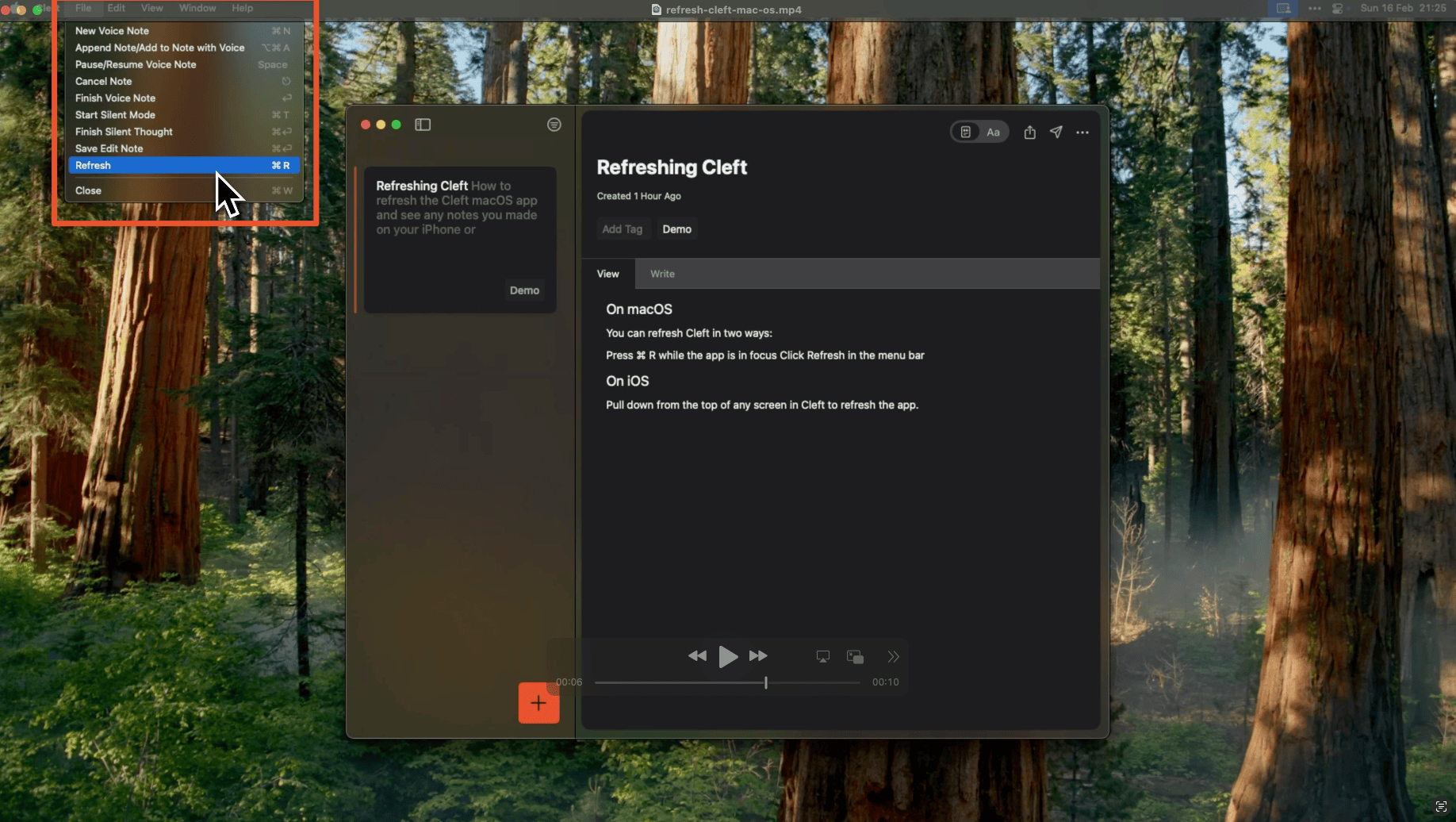
Press `⌘ + R` or click the sync icon in the toolbar.

<div style={{ display: 'flex', justifyContent: 'center' }}>
  <img src="https://mintcdn.com/cleft/JRJFRS0iBSEBlpRJ/images/sync/refresh-cleft-macOS.png?fit=max&auto=format&n=JRJFRS0iBSEBlpRJ&q=85&s=07f4c33e99dc51644288cbe30dcc62cb" alt="Refresh button in the Cleft toolbar on macOS" style={{ maxWidth: '400px', width: '100%', height: 'auto', borderRadius: '8px' }} width="1836" height="1036" data-path="images/sync/refresh-cleft-macOS.png" />
</div>

<Tip>
  Cleft refreshes automatically when you return to the app on Mac.
</Tip>

## iPhone and iPad

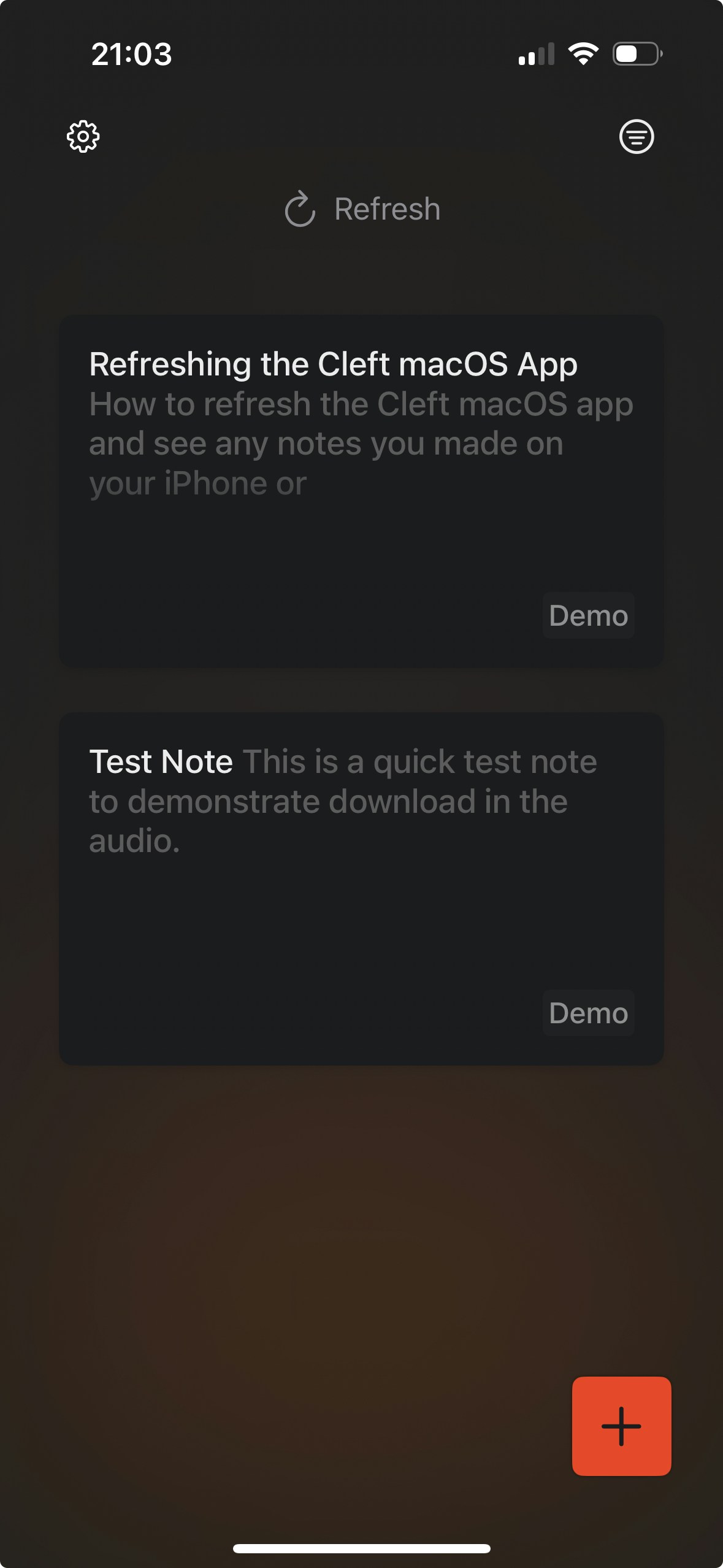
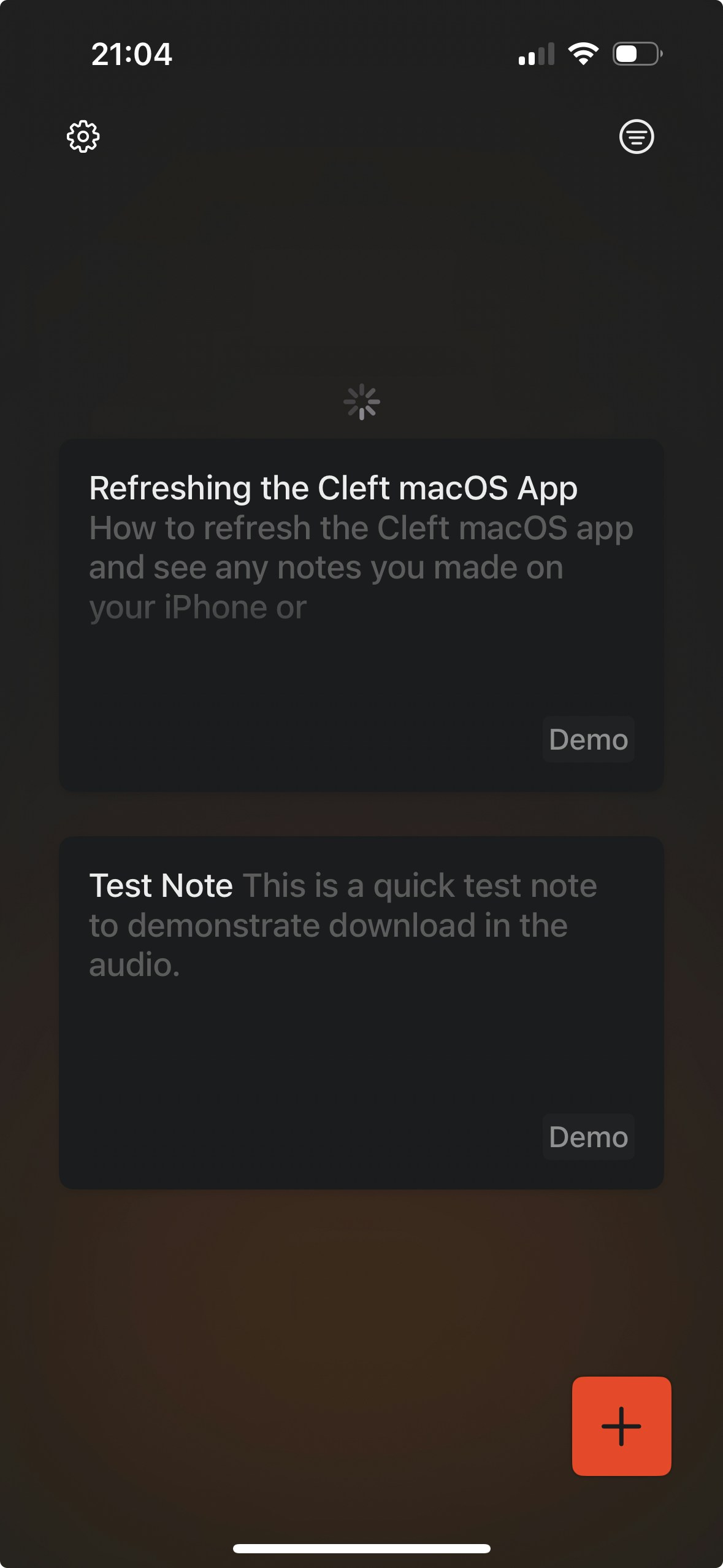
Pull down on the notes list to refresh.

<div style={{ display: 'flex', justifyContent: 'center', gap: '1rem' }}>
  <img src="https://mintcdn.com/cleft/B0o1wbXujQL7Ysu3/images/sync/ios-refresh-1.jpeg?fit=max&auto=format&n=B0o1wbXujQL7Ysu3&q=85&s=0f89652a0c92a6f451704cc776b6fd89" alt="Pull to refresh on iPhone — pulling down on the notes list" style={{ maxWidth: '200px', width: '100%', height: 'auto', borderRadius: '8px' }} width="1179" height="2556" data-path="images/sync/ios-refresh-1.jpeg" />

  <img src="https://mintcdn.com/cleft/B0o1wbXujQL7Ysu3/images/sync/ios-refresh-2.jpeg?fit=max&auto=format&n=B0o1wbXujQL7Ysu3&q=85&s=7ce5ab90755dc964266b073e2beee3cb" alt="Pull to refresh on iPhone — refresh indicator showing" style={{ maxWidth: '200px', width: '100%', height: 'auto', borderRadius: '8px' }} width="1179" height="2556" data-path="images/sync/ios-refresh-2.jpeg" />
</div>

## Still Not Syncing?

1. Check you're signed in with the **same email** on both devices (Settings > Account)
2. Make sure you have an internet connection
3. Try refreshing on both devices
4. If issues persist, check the [FAQ](/user-guides/faq) for more troubleshooting steps

For the full syncing guide, see [Syncing Notes](/user-guides/syncing-notes).